Hyva vs Luma: Which Magento Theme Is Right for Your Store?
Key Takeaways:
- A slow Magento storefront becomes a business cost. Luma’s heavier front end, extensions, and customizations can affect mobile performance, conversions, and engineering efficiency.
- Luma isn’t always the problem—but its limits matter. Stores with stable performance and fewer dependencies may have good reason to stay; others may be paying too much to maintain the status quo.
- Hyva can deliver a faster, leaner storefront. Its lighter architecture can improve performance and maintainability, but migration effort, extension compatibility, and licensing need to be assessed first.
- Sigma makes the decision evidence-based. We assess performance, architecture, extensions, migration effort, and business priorities to determine whether to optimize Luma, migrate to Hyva, or take a phased approach..
Introduction
Is Your Magento Theme Becoming a Growth Constraint?
A Magento storefront can remain operational long after its front-end architecture has stopped being commercially efficient. This is often how the Hyva vs Luma discussion begins: mobile pages take too long to become interactive, Core Web Vitals remain difficult to improve, front-end changes take longer than expected, or developers spend increasing amounts of time working around theme and extension dependencies. None of these problems necessarily means the store needs a new theme. They do indicate that the cost of the current front end deserves closer examination.
Luma was introduced as Magento’s default storefront and remains deeply embedded in the Magento ecosystem. For many businesses, that familiarity has made staying on Luma the path of least resistance. But a default starting point is not necessarily a long-term performance strategy. As catalogs, traffic, integrations, customizations, and third-party extensions accumulate, the front end can become increasingly difficult to optimize and maintain. The result is not simply a slower website. It can become a recurring cost across conversion performance, customer experience, engineering capacity, and the ability to respond quickly to commercial priorities.
That is why Hyva vs Luma should not be approached as a simple question of which theme is newer or technically better. The more useful question for a Magento decision-maker is: Is the current storefront architecture still supporting the business at an acceptable cost?
Is Your Magento Front End Holding Back Growth? Optimize performance, modernize your Magento storefront, and build a front end that scales with your business.
Why “Hyva vs Luma” Is a Business Decision, Not Just a Theme Choice
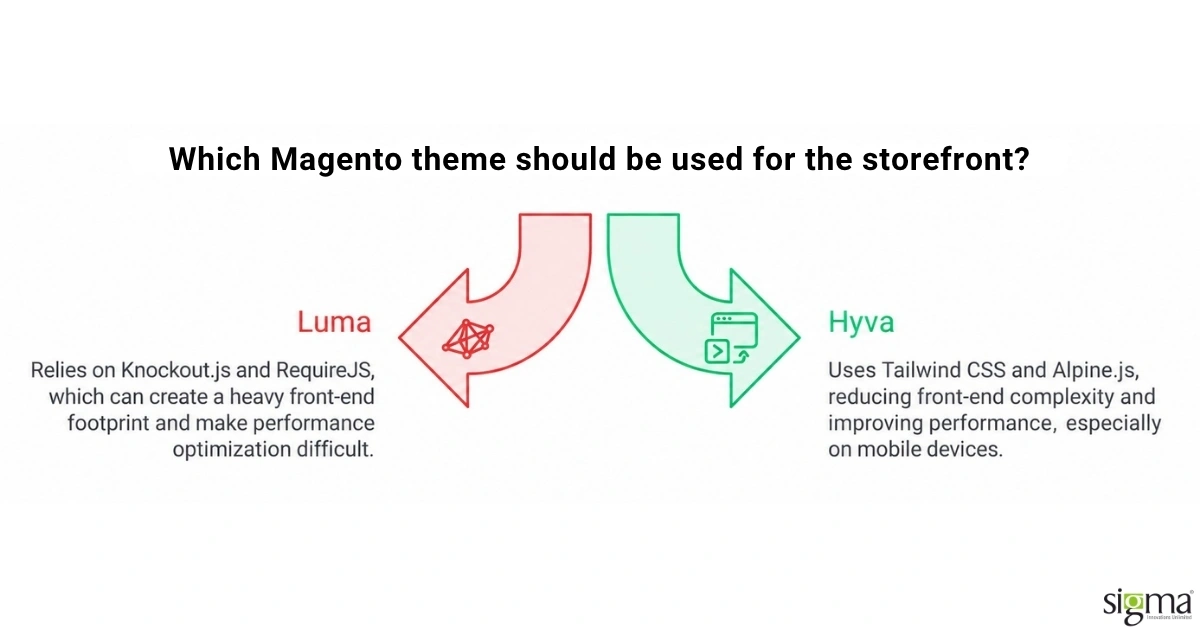
Theme architecture influences more than how a Magento storefront looks. It affects how much front-end code reaches the browser, how difficult performance optimization becomes, how much effort is required to accommodate extensions, and how quickly a team can make changes to the customer experience.
Luma relies on Knockout.js and RequireJS, technologies that were appropriate to Magento’s original architecture but can create a comparatively heavy front-end footprint. As more functionality is layered onto the storefront, JavaScript dependencies and extension behavior can make performance optimization increasingly difficult. Server capacity, caching, image optimization, CDN configuration, and database performance can all improve the overall experience, but they cannot completely remove limitations originating in the front-end architecture itself.
Hyva takes a different approach. It replaces the Luma front-end stack with Tailwind CSS and Alpine.js, reducing the amount of JavaScript and front-end complexity required for many storefront interactions. That architectural difference can create a significantly higher performance ceiling, particularly on mobile devices where browser processing and network conditions make front-end weight more consequential.
For a CTO, ecommerce leader, or business owner, the distinction matters because the decision ultimately affects resource allocation. A business can continue investing engineering time into optimizing and maintaining an existing Luma implementation, or it can invest in changing the front-end foundation. Neither decision is automatically correct. The right answer depends on the store’s current performance, extension dependencies, customization level, commercial priorities, and expected investment horizon.
When Luma Still Makes Business Sense
The case for Luma should not be dismissed simply because Hyva is newer. A store with a relatively small catalog, modest traffic, limited front-end customization, and a manageable extension footprint may be able to operate effectively on Luma. If current performance meets commercial requirements and the business has limited plans for major front-end investment, a migration may introduce cost without creating enough incremental value.
Luma also benefits from its maturity within the Magento ecosystem. Many third-party extensions were originally developed around Magento’s traditional front-end architecture, which can make compatibility more straightforward. Businesses with extensive Luma-dependent functionality therefore need to consider not only the cost of moving to Hyva but also the potential effort required to replace or adapt existing integrations.
The more important issue is whether Luma is still economically sustainable for the specific store. A business should look at the engineering hours required for front-end changes, the effort involved in performance optimization, the frequency of extension-related issues, mobile performance, and the roadmap for future storefront improvements. If those costs are increasing while the storefront’s performance ceiling remains constrained, continuing with Luma simply because it is already installed can become an expensive form of inertia.
When Hyva Becomes the More Strategic Option
Hyva becomes more compelling when storefront performance and front-end agility have moved from technical concerns to business priorities. If mobile performance is affecting conversion opportunities, if Core Web Vitals remain difficult to address despite conventional optimization, or if front-end development has become disproportionately expensive, changing the underlying theme architecture can be more effective than continuing to optimize around the same constraints.
The principal advantage is architectural rather than cosmetic. Hyva removes the Knockout.js and RequireJS dependencies associated with Luma and uses a lighter approach to styling and interaction. Many stores that complete a well-executed Hyva migration achieve substantially stronger PageSpeed results, although actual performance depends on the complete storefront architecture, hosting environment, third-party services, content, images, and implementation quality.
The business case therefore should not be framed as “Hyva is faster.” The more useful question is what that additional performance is worth to the organization. If a faster storefront can improve customer experience, reduce front-end complexity, support better Core Web Vitals, and reduce the engineering effort required for future changes, the migration can represent a broader modernization investment rather than a theme replacement.
Scope a Hyva migration around your store’s actual extension footprint, not a generic project template.
Licensing is a separate cost line that belongs in the same conversation. Hyva carries a commercial theme license, and stores that also adopt Hyva Checkout or the Hyva Enterprise support tier add further license cost on top of the base fee, while Luma has no license fee since it ships with the platform. That difference matters for a total cost of ownership comparison, but it should not be read in isolation. A store paying down Luma’s higher ongoing maintenance cost, more developer hours per feature shipped, more front-end code to test and patch, is already carrying a recurring cost that a Hyva license simply makes visible as a line item instead of hidden inside engineering time. Whether that trade favors Hyva depends on how much front-end work the store expects to do over the next two to three years, which is a planning question rather than a purely technical one.
The Hidden Cost of a Hyva Migration
The strongest argument against making a rushed Hyva vs Luma decision is that Hyva is not a switch that can simply be activated. Moving from Luma changes the front-end foundation of the storefront, which means existing templates, customizations, and extension-dependent functionality need to be assessed before a migration begins.
This is particularly important for businesses with a large extension footprint. An extension that works naturally within Luma may require a Hyva-compatible implementation, a compatibility module, or a different integration approach. Custom storefront components may also need to be rebuilt. The migration therefore creates an upfront engineering investment that should be measured rather than assumed.
Licensing also belongs in the business case. Luma does not carry a separate theme license because it ships with Magento, while Hyva is commercially licensed. Additional products or support arrangements can introduce further costs. Those expenses should be compared against the recurring engineering and maintenance costs associated with the existing storefront rather than considered in isolation.
The relevant calculation is therefore not simply “What does Hyva cost?” It is “What will the current architecture cost us over the next two to three years, and what would changing it buy the business?”
Hyva vs Luma: What Should You Actually Compare?
A useful comparison needs to go beyond framework names and feature checklists. Decision-makers should evaluate the two approaches against the factors that determine investment, risk, and long-term operating cost.
| Criteria | Hyva | Luma |
| Front-end architecture | Lightweight approach using Alpine.js and Tailwind CSS | Knockout.js and RequireJS-based architecture |
| Performance potential | Generally provides a higher front-end performance ceiling | Can require more optimization to achieve strong performance |
| Extension considerations | Existing extensions require compatibility assessment | Broad native compatibility within the established Magento ecosystem |
| Migration investment | Requires front-end migration and potential component rework | No migration required when already in place |
| Ongoing maintenance | Potentially lower front-end complexity after migration | Can become more complex as customizations and dependencies accumulate |
| Best strategic fit | Stores prioritizing performance, modernization, and long-term front-end efficiency | Stores with stable performance, limited front-end investment, or significant Luma dependencies |
The table should not be interpreted as a universal winner. A business with substantial Luma-specific customization may find that migration risk outweighs the immediate benefit. Another business may discover that continued Luma optimization is consuming more engineering capacity than a controlled migration would require. The decision becomes clearer when those variables are measured against the store’s commercial roadmap.
The First Question Should Be: Can Luma Be Fixed?
Before approving a theme migration, decision-makers should establish whether the underlying performance problem actually originates from the theme. Magento storefront performance can also be affected by hosting resources, server configuration, caching, database health, image delivery, third-party scripts, tag managers, APIs, and poorly optimized extensions.
This matters because migrating to Hyva does not automatically correct every performance problem. A store with inefficient infrastructure or excessive third-party scripts can carry those problems into a new front end. Conversely, a store that has already addressed its infrastructure and application-level constraints but continues to struggle with front-end weight has a stronger case for changing the theme architecture.
A sound evaluation therefore starts with the complete performance picture. The goal is to identify the actual constraint before committing budget to a migration. In some cases, the right recommendation will be Luma optimization. In others, it will be Hyva. For stores with significant complexity, a phased approach may make more sense than attempting a complete transformation at once.
What a Decision-Ready Hyva Evaluation Should Include
A serious Hyva vs Luma assessment should map the current storefront before recommending a target architecture. That means understanding the extension portfolio, custom modules, templates, integrations, checkout requirements, third-party scripts, current performance profile, and areas where the business expects further front-end investment.
The evaluation should also separate performance opportunity from migration effort. A store may have a technically attractive opportunity to improve PageSpeed but still face substantial rework because of deeply integrated extensions. Another store may have relatively few dependencies and therefore a straightforward path to modernization. These situations can look identical in a generic Hyva-versus-Luma comparison while producing completely different investment decisions.
The expected business outcome should be part of the assessment as well. If the primary objective is improving mobile conversion, performance measurements should be connected to the customer journey. If the priority is reducing engineering overhead, the assessment should examine how much time is currently spent maintaining and extending the front end. If the priority is preparing for future growth, the organization should evaluate whether the current architecture can support its expected traffic, catalog, integrations, and storefront roadmap.
Why Migration Sequencing Matters
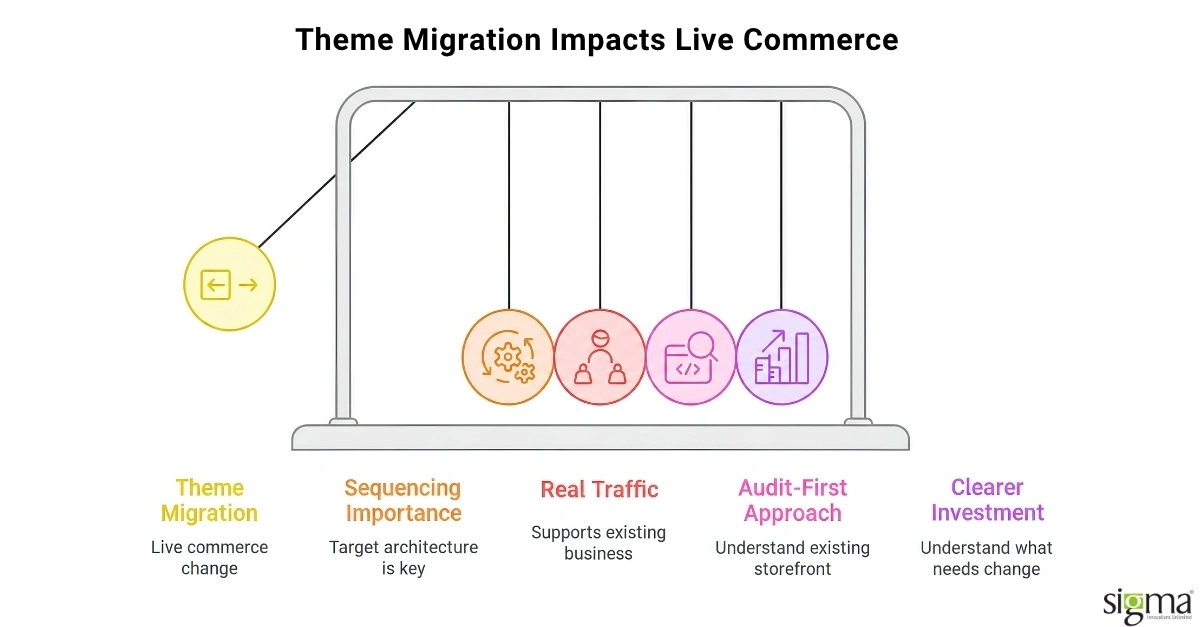
A theme migration is ultimately a live-commerce change, which makes sequencing as important as the target architecture. The objective is not simply to achieve a strong Lighthouse or PageSpeed score in a test environment. The new storefront needs to support real traffic, existing business rules, integrations, customer journeys, analytics, and operational requirements.
That makes an audit-first and phased approach more appropriate than treating Hyva as a one-size-fits-all replacement. The existing storefront should be understood first, migration dependencies should be identified, critical customer journeys should be validated, and performance should be measured before and after the change. Where necessary, the migration can be structured so that high-risk dependencies are addressed before the final storefront transition.
This approach also gives leadership a clearer investment picture. Instead of approving a theme migration based on a generic estimate, the business can understand what needs to change, what can remain, where the major risks sit, and what outcomes the investment is expected to produce.
Sigma’s Approach: Make the Theme Decision With Evidence
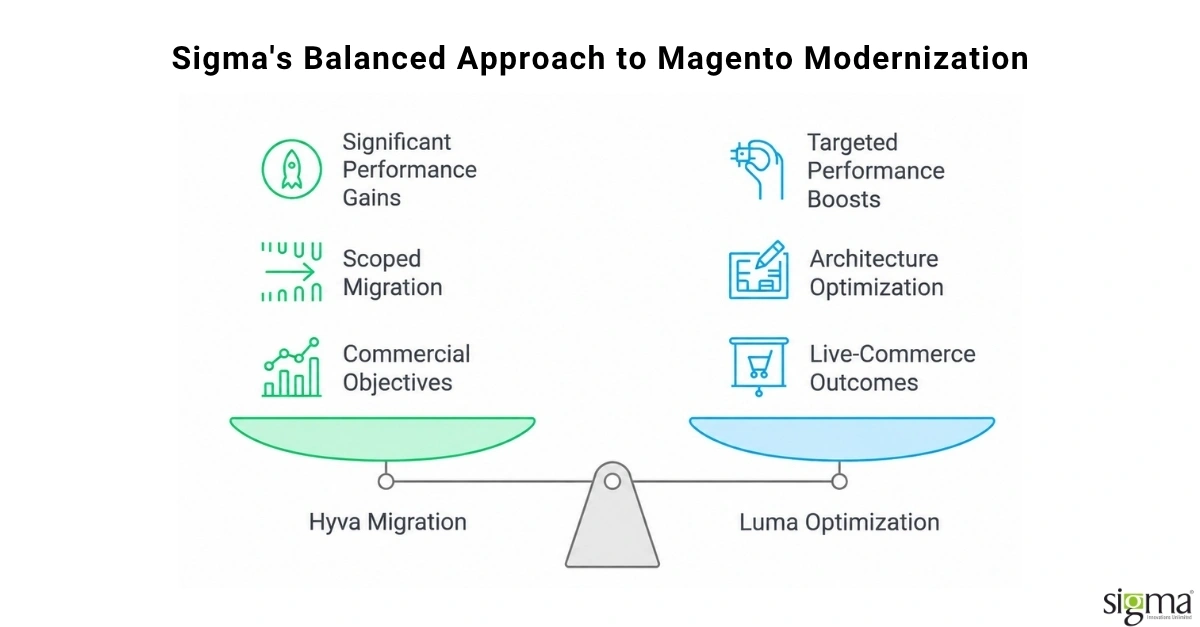
Sigma Infosolutions approaches the Hyva vs Luma decision as an engineering and business evaluation rather than a predetermined recommendation to adopt Hyva. The starting point is the existing Magento implementation: its performance profile, customizations, extensions, integrations, infrastructure, and front-end roadmap.
That assessment allows Sigma to determine whether the store’s current problems can be addressed through targeted Magento performance optimization or whether the underlying front-end architecture has become the larger constraint. Where Hyva is appropriate, Sigma can scope the migration around the store’s actual extension and customization footprint rather than applying a generic migration estimate. Where Luma remains commercially viable, the recommendation can instead focus on optimizing the existing architecture and addressing the highest-impact constraints.
Sigma’s experience also provides a practical benchmark for evaluating the business impact of Magento modernization. In one Magento theme and platform upgrade for a leading grocery retailer, the engagement delivered a reported 300% desktop performance improvement, 400% mobile performance improvement, 15% higher order volume, and 10% revenue growth. In another Magento frontend modernization engagement for an electronics retailer, Sigma reported a 60% website performance improvement while migrating the platform without downtime. These outcomes are specific to those implementations rather than guarantees for every store, but they demonstrate why performance modernization should ultimately be evaluated against live-commerce outcomes rather than technical scores alone.
The value of Sigma’s involvement is therefore not simply executing a Hyva migration. It is connecting the architectural decision to the store’s commercial objectives, identifying the actual constraints, managing migration dependencies, and taking engineering ownership through implementation and ongoing improvement.
Conclusion: Don’t Let the Default Theme Become the Default Strategy
The Hyva vs Luma decision is not really about choosing between two Magento themes. It is about deciding whether the storefront architecture you have today remains economically and technically appropriate for where the business is going.
Luma can remain a sensible choice when performance is acceptable, the extension footprint is manageable, and the business has limited need for front-end modernization. But when slow mobile experiences, difficult Core Web Vitals, growing customization complexity, or rising front-end maintenance effort begin affecting business priorities, continuing with Luma without evaluating the alternatives can become a costly decision in itself.
Hyva can provide a stronger foundation for stores that need a lighter front end, better performance potential, and lower complexity over the longer term. The trade-off is real migration work, extension compatibility assessment, licensing cost, and implementation risk. That makes the decision worth evaluating with actual data rather than adopting Hyva simply because it is the newer architecture.
The most defensible decision is the one that compares the cost of staying with the cost of changing. Understand what is limiting the current storefront, quantify the migration effort, connect performance improvements to business outcomes, and choose the architecture that best supports the next stage of growth.
Before investing in a Magento theme migration, identify what is actually slowing your storefront and what the change needs to deliver. Sigma can evaluate the architecture, extension footprint, performance constraints, and migration scope to build an evidence-based modernization path.
Build a Scalable E-commerce Storefront
Frequently Asked Questions
What is the main difference in the Hyva vs Luma comparison?
The core difference is the underlying JavaScript framework. Luma runs on Knockout.js and RequireJS, which ship a heavier payload to the browser. Hyva replaces that stack with Tailwind CSS and Alpine.js, cutting page weight substantially. That architectural change is why Hyva reaches materially higher PageSpeed scores than Luma without extra tuning.
Is switching from Luma to Hyva always worth the cost?
Not always. A store with a small extension footprint, a limited migration budget, or performance that already meets business needs may reasonably stay on Luma. The stronger case for switching belongs to stores already losing conversions, ad efficiency, or search visibility to slow page speed that tuning alone cannot fix.
Does Hyva support the same Magento extensions Luma does?
Not automatically. Extensions built for Luma’s Knockout.js rendering need a compatibility check, and many require a custom rebuild or a vendor-supplied Hyva-compatible module. This is the single biggest source of migration effort, so an extension audit should happen before committing to a Hyva migration budget or timeline.
How much does a Hyva theme license cost compared to Luma?
Hyva requires a one-time commercial theme license, with additional costs for Hyva Checkout or enterprise-level support if a store adopts those tiers. Luma carries no license fee since it ships by default with Magento. The comparison should weigh that license cost against Luma’s higher ongoing maintenance time.
How long does a Magento theme migration from Luma to Hyva take?
Timeline depends on extension count and template complexity, but a typical migration runs several weeks to a few months once an audit identifies the true scope. Stores with heavily customized Luma templates or many third-party extensions should expect a longer, more carefully phased migration, sequenced to avoid disrupting an active storefront.