Building a Snowflake Data Agent: From Mart Tables to Semantic Views, Cortex Agents, and Skills
A practical guide for enabling end users to query governed data using natural language
- Business users often depend on analysts for reports and SQL queries, leading to slow decision-making, reporting backlogs, and inconsistent KPI definitions across teams.
- Create a governed AI-powered BI experience where users can ask questions in natural language and receive accurate, trusted insights based on standardized business metrics.
- Empower self-service analytics, reduce report turnaround time, improve data consistency, and enable faster, more confident business decisions without compromising governance.
- Sigma helps organizations design and implement AI-powered Business Intelligence solutions on Snowflake, combining modern data engineering, semantic modeling, AI agents, and enterprise governance to accelerate data-driven decision-making.
Introduction
Modern enterprises generate more data than ever, yet accessing meaningful insights often remains slow and dependent on technical teams. Business users frequently wait for analysts to create dashboards, write SQL queries, or reconcile conflicting reports before they can make informed decisions. As organizations adopt AI for analytics, the challenge becomes even greater—AI can only provide reliable answers when it understands business context and works from trusted, governed data.
This is where AI-powered Business Intelligence changes the game. By combining curated data, semantic business definitions, and intelligent AI agents, organizations can enable users to interact with enterprise data using natural language while ensuring every response is accurate, consistent, and governed. In this blog, we’ll explore how a modern Snowflake-based AI BI architecture helps organizations deliver trusted self-service analytics, reduce reporting bottlenecks, and make faster, data-driven decisions at scale.
Solution Architecture: The Foundation of AI-Powered Self-Service Analytics
An effective AI-powered Business Intelligence solution is built on a layered architecture that transforms trusted enterprise data into accurate, natural language insights. Each layer has a distinct role—from organizing and governing business data to enabling AI-driven conversations and repeatable analytical workflows. Together, these layers ensure business users receive fast, consistent, and reliable answers while organizations maintain complete control over data quality, security, and governance.
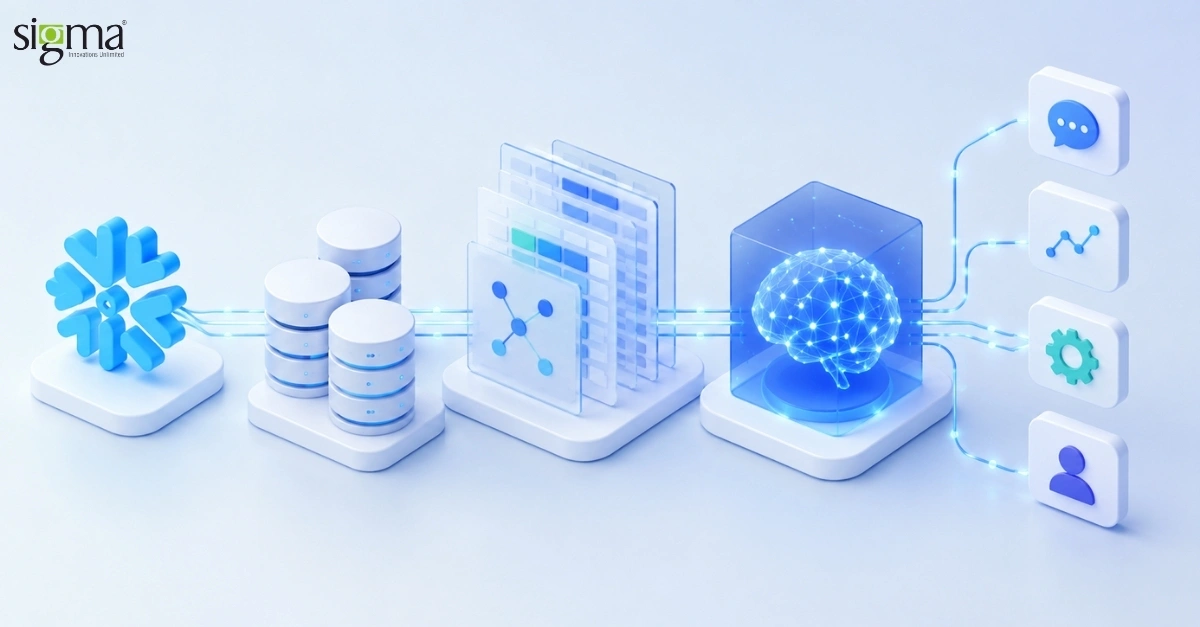
The following architecture illustrates how curated data, semantic business definitions, AI agents, and reusable business skills work together to deliver a scalable, enterprise-ready analytics experience.
Solution Architecture
The recommended architecture stacks four layers. Each layer has a clear owner and responsibility:
| Layer | Snowflake Object | Purpose |
| Data | Mart tables (FACT_*, DIM_*) | Curated, tested, role-governed source of truth |
| Semantic | Semantic View | Business vocabulary: dimensions, metrics, joins, descriptions |
| Intelligence | Cortex Agent + Cortex Analyst | Natural language → SQL orchestration and answers |
| Capabilities | Agent Skills (SKILL.md on stage/Git) | Repeatable task packages for specialized workflows |
Request Flow
- End user submits a question in Snowflake Intelligence or via DATA_AGENT_RUN.
- The agent orchestrator (LLM) reads the question and available tools, skills, and instructions.
- For structured data questions, the agent invokes Cortex Analyst with the Semantic View.
- Cortex Analyst generates SQL against the underlying mart tables and executes it on a warehouse.
- If a Skill matches the question, the agent loads SKILL.md instructions (and optional scripts) and follows them.
- The agent synthesizes tool results into a concise natural-language response with supporting numbers.
Note: Snowflake does not have an object called a “semantic table.” The modern, recommended object is a Semantic View—a schema-level database object that stores semantic model definitions natively. Legacy YAML semantic models on stages are still supported for Cortex Analyst but are deprecated for new implementations.
Terminology: Semantic View vs Semantic Model
| Aspect | Legacy Semantic Model (YAML on stage) | Semantic View (recommended) |
| Storage | YAML file on internal stage | Schema-level object (CREATE SEMANTIC VIEW) |
| Governance | Stage-based access | Full Snowflake RBAC, sharing, Marketplace |
| Queryability | Via Cortex Analyst only | SEMANTIC_VIEW() SQL function + Analyst |
| Join definitions | Requires join_type / relationship_type | Relationships inferred automatically |
| Agent integration | Supported | Supported (preferred) |
Phase 1 — Mart Tables (Data Foundation)
Mart tables are the physical foundation. They should already reflect dimensional modeling best practices: conformed dimensions, fact tables at the right grain, and clear naming. The semantic layer does not replace marts—it interprets them for humans and AI.
Design Principles
- Use a star or snowflake schema with one clear grain per fact table.
- Apply row access policies and column masking where required before exposing data to agents.
- Document column meanings in COMMENT clauses—semantic views inherit this context.
- Prefer stable, business-friendly mart names (e.g., FCT_SALES, DIM_CUSTOMER).
- Validate data quality and freshness with dbt tests or equivalent pipelines.
Example: Sales Mart Table
Below is a simplified mart table at transaction grain:
CREATE OR REPLACE TABLE ANALYTICS.MART.FCT_SALES (
sale_id NUMBER AUTOINCREMENT,
sale_date DATE,
product_name VARCHAR,
category VARCHAR,
region VARCHAR,
quantity NUMBER,
unit_price NUMBER(10,2),
total_amount NUMBER(10,2),
customer_segment VARCHAR
);
Phase 2 — Semantic View on Top of the Mart
A Semantic View is a governed business layer on top of mart tables. It defines logical tables, dimensions (group-by attributes), metrics (aggregated KPIs), and relationships. Cortex Analyst reads these definitions to translate natural language into accurate SQL.
Core Semantic View Components
TABLES: Maps logical entities to physical mart tables; specify primary keys.
DIMENSIONS: Categorical attributes users filter or group by (region, product, segment).
METRICS: Aggregated measures (SUM, COUNT, derived formulas) with business names.
COMMENT: Plain-English descriptions the LLM uses to understand each field.
Verified Queries (optional): Example question/SQL pairs that improve Analyst accuracy.
Create Semantic View from Mart Table
CREATE OR REPLACE SEMANTIC VIEW ANALYTICS.SEMANTIC.SV_SALES
TABLES (
sales AS ANALYTICS.MART.FCT_SALES
PRIMARY KEY (sale_id)
COMMENT = ‘Transaction-level sales mart’
)
DIMENSIONS (
sales.product_name AS product_name
COMMENT = ‘Name of the product sold’,
sales.category AS category
COMMENT = ‘Product category’,
sales.region AS region
COMMENT = ‘Sales region (North America, Europe, Asia Pacific)’,
sales.customer_segment AS customer_segment
COMMENT = ‘Customer type (Enterprise, SMB, Consumer)’
)
METRICS (
sales.total_sales AS SUM(total_amount)
COMMENT = ‘Total sales amount in USD’,
sales.total_quantity AS SUM(quantity)
COMMENT = ‘Total units sold’,
sales.transaction_count AS COUNT(*)
COMMENT = ‘Number of sales transactions’
)
COMMENT = ‘Sales semantic layer for revenue and regional analysis’;
Verify the Semantic View
SHOW SEMANTIC VIEWS;
SELECT * FROM SEMANTIC_VIEW(
ANALYTICS.SEMANTIC.SV_SALES
METRICS total_sales, total_quantity
DIMENSIONS region
)
ORDER BY total_sales DESC;
Alternative: Create from YAML
You can also author YAML in Snowsight or call SYSTEM$CREATE_SEMANTIC_VIEW_FROM_YAML. Export semantic views to Git for version control. Snowflake keeps YAML and the semantic view object in sync when edited in Snowsight.
Phase 3 — Cortex Agent on the Semantic Layer
A Cortex Agent orchestrates tools—primarily Cortex Analyst (text-to-SQL over semantic views) and optionally Cortex Search (unstructured RAG), custom tools, and code execution. The agent decides which tool to invoke based on the user’s question and your orchestration instructions.
Agent Specification Structure
models: LLM for orchestration (e.g., claude-4-sonnet).
orchestration.budget: Time and token limits per request.
instructions: system, orchestration, and response guidance.
tools: Declared tool types (cortex_analyst_text_to_sql, cortex_search, etc.).
tool_resources: Links Analyst to semantic_view and warehouse; Search to service name.
skills: References to SKILL.md packages (see Phase 4).
Create Agent with Semantic View
CREATE OR REPLACE AGENT ANALYTICS.AGENTS.SALES_ASSISTANT
COMMENT = ‘Self-service sales analytics for business users’
FROM SPECIFICATION $$
models:
orchestration: claude-4-sonnet
orchestration:
budget:
seconds: 30
tokens: 16000
instructions:
system: >
You are a sales analytics assistant. Answer questions using governed
sales data only. Never invent numbers.
orchestration: >
Use Analyst for questions about revenue, sales, quantities, regions,
products, or customer segments. Decline questions outside sales analytics.
response: >
Be concise. Include key numbers. Cite the metric names used.
tools:
– tool_spec:
type: “cortex_analyst_text_to_sql”
name: “Analyst”
description: “Queries structured sales data via natural language to SQL”
tool_resources:
Analyst:
semantic_view: “ANALYTICS.SEMANTIC.SV_SALES”
execution_environment:
type: “warehouse”
warehouse: “ANALYTICS_WH”
$$;
Important: The Analyst tool requires an execution_environment block with type warehouse. Omitting this causes error 399504 (missing execution environment).
Test the Agent
SELECT SNOWFLAKE.CORTEX.DATA_AGENT_RUN(
‘ANALYTICS.AGENTS.SALES_ASSISTANT’,
$${“messages”: [
{“role”: “user”, “content”: [
{“type”: “text”, “text”: “What are total sales by region?”}
]}
]}$$
) AS response;
Read our success story: Enhancing Conversational BI with a LangGraph-Powered AI Agent
Phase 4 — Agent Skills for End Users
Skills are modular packages of instructions (and optional scripts) that extend what an agent can do beyond ad-hoc Q&A. Each skill is defined by a SKILL.md file stored on a Snowflake stage or in a Git repository. Agents discover skills by name and description, then load full instructions on demand during orchestration.
When to Use Skills
- Standardized workflows (monthly forecast, pipeline review, variance commentary).
- Domain guardrails (always compare to prior period; flag anomalies above threshold).
- Multi-step analysis that should run the same way every time.
- Tasks requiring supporting Python/SQL scripts co-located with instructions.
Skill Folder Structure
skills/
sales_forecast/
SKILL.md
forecast_helper.py
pipeline_review/
SKILL.md
SKILL.md Format
—
name: sales_forecast
description: >
Generate a quarterly sales forecast using historical trends from the
sales semantic view. Use when users ask about forecasts or projections.
instructions: |
1. Query last 8 quarters of total_sales by region using the Analyst tool.
2. Identify top 3 regions by revenue growth rate.
3. Project next quarter using simple trend extrapolation.
4. Present results in a table with region, actual, and forecast columns.
5. State assumptions clearly (linear trend, no seasonality adjustment).
—
Upload Skills to a Stage
CREATE STAGE IF NOT EXISTS ANALYTICS.AGENTS.SKILL_STAGE;
PUT file:///path/to/sales_forecast/SKILL.md
@ANALYTICS.AGENTS.SKILL_STAGE/skills/sales_forecast/;
LS @ANALYTICS.AGENTS.SKILL_STAGE/ PATTERN=’.*SKILL\.md’;
Attach Skills to the Agent
ALTER AGENT ANALYTICS.AGENTS.SALES_ASSISTANT
MODIFY LIVE VERSION
SET SPECIFICATION = $$
{
“models”: { “orchestration”: “claude-4-sonnet” },
“instructions”: {
“system”: “You are a sales analytics assistant.”,
“orchestration”: “Use Analyst for metrics. Use sales_forecast skill for projection questions.”,
“response”: “Be concise and include numbers.”
},
“tools”: [
{
“tool_spec”: {
“type”: “cortex_analyst_text_to_sql”,
“name”: “Analyst”,
“description”: “Queries sales semantic view”
}
}
],
“tool_resources”: {
“Analyst”: {
“semantic_view”: “ANALYTICS.SEMANTIC.SV_SALES”,
“execution_environment”: {
“type”: “warehouse”,
“warehouse”: “ANALYTICS_WH”
}
}
},
“skills”: [
{
“name”: “sales_forecast”,
“source”: {
“type”: “STAGE”,
“path”: “@ANALYTICS.AGENTS.SKILL_STAGE/skills/sales_forecast”
}
}
]
}
$$;
Skills referenced from Git use type GIT and a path like @my_db.my_schema.skills_repo/tags/latest/skills/sales_forecast. If skills include executable scripts, enable the code execution tool on the agent.
Read our success story: Building an AI-Powered Lending Analytics Assistant on Snowflake
End-User Experience
Once deployed, business users interact with the agent through Snowflake Intelligence (Snowsight chat) or custom applications using the Cortex Agents REST API.
Snowflake Intelligence
- Grant USAGE on the agent and underlying semantic view to the business role.
- Users open Snowflake Intelligence and select the published agent.
- They ask questions in natural language: e.g., “Show me enterprise sales in Europe last quarter.”
- The agent shows thinking steps, generated SQL (optional), and a summarized answer.
- Users can explicitly select a Skill from the + menu for guided workflows.
Example User Questions
- What were total sales by customer segment in Q1?
- Which region had the highest transaction count?
- Compare electronics vs furniture revenue.
- Run a sales forecast for next quarter by region. (triggers sales_forecast skill)
Read the blog: Predictive Analytics for Customer Retention: BI Strategies That Work in 2026
Governance, Security, and Best Practices
| Area | Recommendation |
| Access control | Grant SELECT on marts, USAGE on semantic view and agent. Use least-privilege roles. |
| Row/column security | Apply row access policies and masking on marts before semantic exposure. |
| Metric definitions | Own metrics in the semantic view; avoid duplicate logic in BI tools. |
| Verified queries | Add verified question/SQL pairs for high-traffic KPIs to improve accuracy. |
| Monitoring | Review agent thinking steps and skill invocations in Snowflake monitoring. |
| Cost | Set orchestration budgets; right-size warehouse for Analyst SQL execution. |
Design Tips for Higher Accuracy
- Write descriptive COMMENT on every dimension and metric.
- Start with one mart / one semantic view; expand to multi-view agents once stable.
- Use orchestration instructions to route question types to the right tool or skill.
- Version semantic views and skills in Git; promote through dev → test → prod accounts.
- Pilot with a small user group; collect failed questions and add verified queries.
Implementation Checklist
| Phase | Task | Done |
| Data | Mart tables built, tested, and documented | ☐ |
| Data | Row access / masking policies applied | ☐ |
| Semantic | Semantic view created over mart(s) | ☐ |
| Semantic | Dimensions and metrics validated with SEMANTIC_VIEW() queries | ☐ |
| Semantic | Verified queries added for top KPIs | ☐ |
| Agent | Cortex Agent created with Analyst tool + execution_environment | ☐ |
| Agent | Orchestration instructions tuned for routing | ☐ |
| Agent | DATA_AGENT_RUN tests pass for representative questions | ☐ |
| Skills | SKILL.md files authored and uploaded to stage or Git | ☐ |
| Skills | Skills attached to agent specification | ☐ |
| Release | Roles and grants configured for target users | ☐ |
| Release | Agent published in Snowflake Intelligence | ☐ |
| Release | User training and feedback loop established | ☐ |
Read the blog: Data Warehouses vs Data Lakes vs Data Lakehouse: What Should You Choose?
Accelerate AI-Powered Business Intelligence with Sigma
Modern Business Intelligence requires more than dashboards—it requires a trusted data foundation, governed AI, and seamless access to insights across the enterprise. Sigma helps organizations build AI-powered BI ecosystems that enable business users to interact with data naturally while ensuring every insight is accurate, secure, and aligned with business definitions.
Our team combines expertise in modern data engineering, Snowflake, AI, and enterprise analytics to help organizations move beyond traditional reporting and unlock faster, self-service decision-making.
How Sigma Helps
- Modern BI Strategy & Consulting – Define a scalable roadmap for AI-driven analytics aligned with your business objectives.
- Data Platform Modernization – Build trusted, high-quality data foundations that support enterprise-wide reporting and analytics.
- Semantic Layer Implementation – Standardize KPIs, metrics, and business definitions to ensure consistent reporting across teams.
- AI-Powered Self-Service Analytics – Enable business users to query enterprise data using natural language instead of relying on technical teams.
- Enterprise AI Agent Development – Develop intelligent BI assistants that deliver contextual insights, automate analysis, and support business workflows.
- Governance & Security – Implement role-based access, data governance, and compliance controls without compromising accessibility.
- End-to-End BI Transformation – From strategy and implementation to optimization and ongoing support, Sigma helps organizations maximize the value of their Business Intelligence investments.
Why Choose Sigma for Business Intelligence?
Whether you’re modernizing an existing BI platform or building an AI-first analytics strategy, Sigma delivers solutions that help you:
- Reduce dependency on manual reporting and ad hoc data requests.
- Accelerate business decisions with trusted, AI-powered insights.
- Improve data consistency through centralized business definitions.
- Increase analytics adoption with intuitive, self-service experiences.
- Scale secure, enterprise-ready Business Intelligence across the organization.
Conclusion
The future of Business Intelligence is moving beyond static dashboards and manual reporting toward AI-powered, conversational analytics. By combining trusted data foundations, semantic business definitions, intelligent AI agents, and governed access, organizations can empower business users to explore data independently while maintaining accuracy, consistency, and security.
A modern Snowflake-based architecture enables organizations to reduce reporting bottlenecks, standardize KPIs, and deliver faster insights that drive better business decisions. Instead of relying on technical teams for every question, business users gain the ability to interact with enterprise data in natural language and receive answers they can trust.
As organizations continue investing in AI and data modernization, building a governed, scalable Business Intelligence ecosystem is no longer optional—it’s a competitive advantage. With the right strategy and implementation partner, businesses can unlock the full value of their data, accelerate decision-making, and create a truly self-service analytics experience that scales with future growth.
Transform Data into Business Decisions
Discover how Sigma can help you implement AI-powered Business Intelligence, self-service analytics, and modern data solutions.