Salesforce Data Migration: Common Pitfalls and How to Avoid Them
Key Highlights:
- Salesforce data migration projects routinely result in duplicate records, broken object relationships, and data loss that undermine CRM adoption and damage trust in the system from day one.
- A structured migration methodology that covers data profiling, field mapping, deduplication, sandbox testing, and rollback planning eliminates the most common failure modes before they reach production.
- Sigma Infosolutions plans and executes Salesforce data migrations with validated field mapping, deduplication logic, staging environment testing, and rollback strategies that protect data integrity throughout.
Introduction
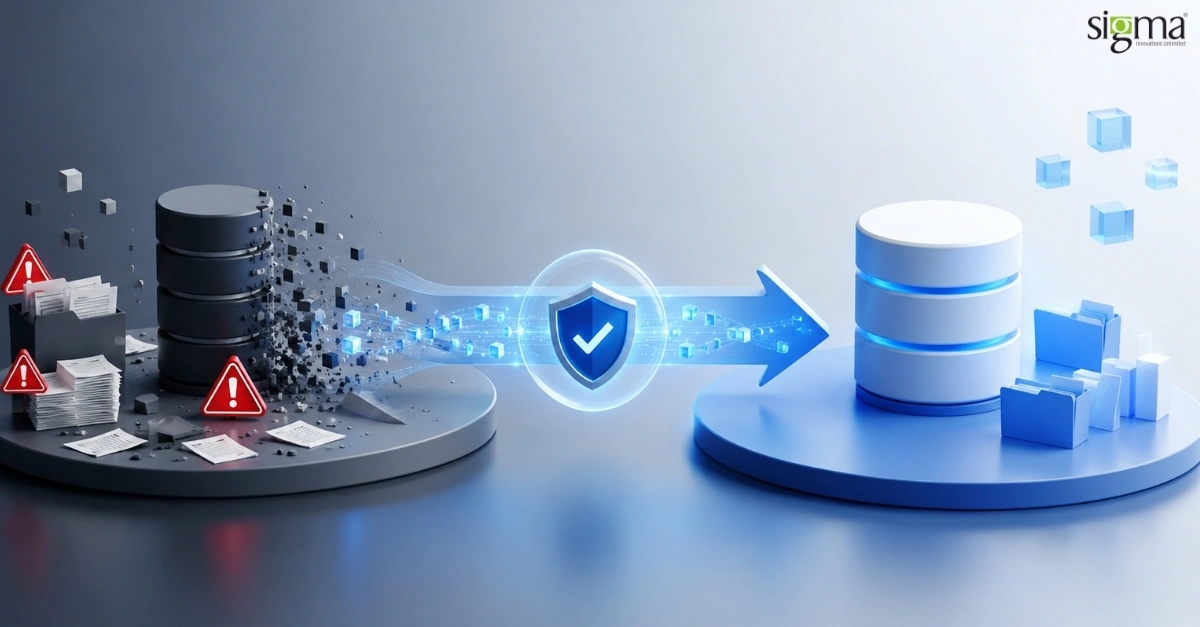
Salesforce data migration is one of the highest-risk phases of any CRM implementation or consolidation project. Organizations spend months configuring workflows, automations, and dashboards, only to undermine the investment with a poorly planned migration that introduces duplicate accounts, orphaned records, and broken relationship hierarchies into the new environment. The downstream effects of a bad migration compound quickly, eroding user trust and driving workarounds that defeat the purpose of the platform.
The core challenge is not moving data from one system to another. It is moving data accurately, completely, and in a way that respects the relational structure Salesforce depends on to function correctly. This requires careful data profiling before migration, disciplined field mapping, deduplication logic that handles real-world data messiness, and a validated testing process that catches errors before they reach production.
For Salesforce admins, RevOps leads, and CTOs managing implementations or org consolidations, a structured approach to migration is the difference between a CRM that accelerates the business and one that requires months of cleanup before it can be trusted. This article covers the most common Salesforce data migration pitfalls and the specific practices that prevent them.
Planning a Salesforce Migration?
Avoid costly data issues, broken relationships, and duplicate records. Sigma Infosolutions delivers Salesforce migration, implementation, and CRM modernization services designed for a smooth, low-risk transition.
Why Salesforce Data Migrations Fail
Most Salesforce data migration failures trace back to the same root causes. Understanding them before starting a migration project is the single most effective risk mitigation step available.
Inadequate Data Profiling Before Migration
Many teams begin migration by exporting data from the source system and attempting to map it directly into Salesforce without first understanding the quality and structure of what they are working with. Source data from legacy CRMs, spreadsheets, or ERP systems frequently contains inconsistent formatting, missing required fields, duplicate entries, and values that have no equivalent in the Salesforce data model.
Data profiling, the process of systematically analyzing source data for completeness, consistency, and accuracy before any mapping work begins, is the step most commonly skipped when teams are under time pressure. Skipping it does not save time. It defers the problems to a phase where they are significantly more expensive to fix.
Poor Field Mapping and Data Type Mismatches
Salesforce has a specific data model with defined object types, field types, and validation rules. A phone number field in a legacy CRM may store values in formats that Salesforce’s phone field type does not accept. A status field with ten possible values in the source system may need to map to a picklist with different values in Salesforce. If these mappings are not designed and validated before migration, the load process fails or, worse, succeeds with corrupted data.
Field mapping should be documented in a formal data mapping specification that covers every source field, its target Salesforce field, any transformation logic required, and the handling of null or invalid values. This document becomes the ground truth for both the migration engineer and the business stakeholders who need to validate the output.
Duplicate Records and Deduplication Failures
Duplicate accounts, contacts, and leads are among the most damaging outcomes of a Salesforce data migration. They create confusion for sales reps, inflate pipeline reporting, and trigger duplicate automation workflows that result in incorrect outreach. Deduplication that happens after migration is far more expensive and disruptive than deduplication built into the migration process.
Effective deduplication requires defining a matching strategy before migration begins. Common matching criteria include email address, company name and domain combination, phone number, and external system identifiers. These criteria should be applied to the source data to identify and resolve duplicates before any records are loaded into Salesforce. Salesforce’s native duplicate management rules can then enforce deduplication on an ongoing basis after migration.
Broken Object Relationships and Lookup Failures
Salesforce’s data model is relational. Contacts belong to Accounts. Opportunities are associated with Accounts and Contacts. Cases link to Accounts, Contacts, and related Assets. When records are migrated in the wrong sequence, or when the external identifiers used to link records are lost or inconsistent, the resulting data has broken relationship hierarchies that render many standard Salesforce features unusable.
The correct migration sequence preserves object dependencies. Parent objects must be migrated before child objects. External ID fields, used to match migrated records to their source system identifiers, must be mapped and preserved throughout the migration process. Teams that skip external IDs during migration lose the ability to update or reconcile records after the initial load.
Also, read the blog: Mastering Salesforce Headless 360: Features, Implementation, and Enterprise Use Cases
Salesforce Data Migration Best Practices
Avoiding the pitfalls above requires a disciplined process that treats migration as an engineering project, not a data transfer task.
Build and Test in a Sandbox First
Every Salesforce data migration should be tested fully in a sandbox environment before any data is loaded into production. A sandbox migration reveals field mapping errors, validation rule failures, and relationship issues in an environment where the consequences are recoverable. Running only a partial test, or skipping sandbox testing entirely to save time, is a risk that consistently leads to production incidents.
A full sandbox migration run should include:
- Loading all object types in the correct dependency order
- Validating record counts against source system totals
- Spot-checking field values across representative samples for each object type
- Confirming that relationship hierarchies are intact
- Running Salesforce’s validation rules and reviewing failure logs
- Testing automation triggers and workflow rules with migrated data
Use External IDs for Upsert Operations
Salesforce’s Upsert operation allows records to be inserted on first load and updated on subsequent loads using an external identifier from the source system. Mapping an External ID field on all migrated objects is a best practice that enables incremental migration, simplifies rollback if a load fails partway through, and makes post-migration reconciliation straightforward.
Without external IDs, re-running a migration after a partial failure creates duplicate records rather than updating existing ones. This is one of the most common causes of duplicate record proliferation in Salesforce environments after a migration.
Plan for Data Cleansing, Not Just Data Transfer
A Salesforce data migration is an opportunity to improve data quality, not just move existing data. Organizations that carry over years of inconsistent formatting, invalid email addresses, stale records, and unmapped values into a new Salesforce environment inherit all of those quality problems on the new platform.
A data cleansing phase before migration should address:
- Standardizing phone number and address formats
- Validating and correcting email addresses
- Archiving or excluding records that are no longer active
- Resolving picklist value mismatches between source and target systems
- Filling in required fields that were optional in the legacy system
Prepare a Rollback Strategy
Even well-planned migrations encounter unexpected issues at production go-live. A defined rollback strategy gives the project team a clear path to restore the previous state if the migration produces critical errors after launch. This includes maintaining a complete export of the pre-migration Salesforce environment and documenting the steps required to revert if necessary.
Teams that plan for rollback rarely need it. Teams that do not plan for it often wish they had.
Also, read the blog: Salesforce Automation Strategies to Optimize Customer Experience and Operations in 2026
How Sigma Infosolutions Helps De-Risk Salesforce Data Migrations
Sigma Infosolutions works with Salesforce admins, RevOps leads, and CTOs to plan and execute Salesforce data migrations that protect data integrity, preserve object relationships, and minimize disruption to sales operations.
Discovery and Data Profiling
We analyze your source data in detail before any migration work begins, identifying quality issues, duplicate patterns, field mapping gaps, and relationship dependencies that need to be resolved in advance. Our profiling report gives stakeholders a clear view of migration risk before the project is underway.
Field Mapping and Transformation Design
Our team builds a complete data mapping specification that documents every source-to-target field mapping, transformation logic, and error handling rule. This specification drives both the technical migration build and the business stakeholder review process.
Deduplication and Data Cleansing
We apply deduplication logic to source data before migration, resolving duplicate records according to agreed matching criteria. We also execute data cleansing routines that standardize formats, fill required fields, and archive stale records so that only clean, active data enters the Salesforce environment.
Sandbox Testing and Validation
We run complete migration tests in a Salesforce sandbox environment, validate record counts and relationship integrity, review failure logs, and iterate until the migration produces clean results before any production load is scheduled.
Production Migration and Post-Go-Live Support
We execute the production migration with a documented runbook, real-time monitoring, and a defined rollback plan. After go-live, we provide support to address any data quality issues, assist with user adoption, and configure Salesforce’s native duplicate management rules for ongoing data hygiene.
Conclusion
Salesforce data migration is not a task to fit between other project milestones. It is a structured engineering effort that determines whether the CRM your organization has invested in will be trusted and used effectively from the start. Duplicate records, broken relationships, and unmapped field values are not inevitable. They are the predictable result of skipping the profiling, mapping, deduplication, and testing steps that a sound migration methodology demands.
Organizations that approach Salesforce data migration with the same rigor they apply to software development launch with clean data, intact relationships, and a CRM that reflects the reality of their business. Those that rush the process spend the first months of their Salesforce implementation cleaning up what should have been resolved before go-live.
Sigma Infosolutions brings the methodology, tooling, and hands-on delivery experience to make your Salesforce migration a foundation for CRM success rather than a source of ongoing problems.
If your team is planning a Salesforce implementation or org consolidation, contact Sigma Infosolutions to start with a structured migration assessment.
Frequently Asked Questions
1. What is Salesforce data migration?
Salesforce data migration is the process of transferring data from legacy systems, spreadsheets, databases, or another CRM into Salesforce while preserving data accuracy, object relationships, and business context. A successful migration involves data profiling, field mapping, cleansing, validation, and testing, not just data transfer.
2. What are the most common Salesforce data migration challenges?
Common challenges include duplicate records, incomplete or inaccurate data, poor field mapping, broken account-contact relationships, validation rule failures, and data type mismatches. These issues can impact user adoption, reporting accuracy, and CRM performance after go-live.
3. How can duplicate records be avoided during a Salesforce migration?
Duplicate records can be minimized by conducting data profiling and deduplication before migration. Organizations typically use identifiers such as email addresses, company domains, phone numbers, or external system IDs to identify and merge duplicate records before loading data into Salesforce.
4. Why is sandbox testing important before a Salesforce migration?
Sandbox testing allows teams to validate field mappings, identify data quality issues, verify record counts, test automation rules, and ensure object relationships remain intact before migrating data into a production environment. This significantly reduces deployment risk.
5. What are External IDs in Salesforce, and why are they important?
External IDs are custom fields used to store unique identifiers from source systems. They support Upsert operations, simplify incremental data loads, preserve record relationships, and make post-migration reconciliation easier. External IDs are considered a Salesforce migration best practice.
6. How long does a Salesforce data migration project take?
The timeline depends on data volume, data quality, source systems, customization complexity, and testing requirements. Smaller migrations may take a few weeks, while enterprise migrations involving multiple systems and large datasets can take several months.
7. Should data be cleaned before migrating to Salesforce?
Yes. Data cleansing should be completed before migration whenever possible. This includes removing duplicates, standardizing formats, validating email addresses, archiving inactive records, and resolving inconsistent field values to improve data quality in the new Salesforce environment.
8. Can Salesforce data migrations be performed without downtime?
In many cases, organizations can minimize downtime through phased migration strategies, staged data loads, incremental updates using External IDs, and carefully planned cutover activities. The approach depends on business requirements and system complexity.
9. What tools are commonly used for Salesforce data migration?
Organizations commonly use tools such as Salesforce Data Loader, Data Import Wizard, ETL platforms, middleware solutions, and custom integration frameworks. The right tool depends on data volume, transformation requirements, and migration complexity.
10. How does Sigma Infosolutions support Salesforce data migration projects?
Sigma Infosolutions provides end-to-end Salesforce data migration services, including data profiling, field mapping, data cleansing, deduplication, sandbox testing, migration execution, validation, rollback planning, and post-go-live support to ensure data integrity and CRM adoption.