Salesforce Integration Best Practices: What Protects Adoption When the Go-Live Pressure Is High

Key Highlights:
- A Salesforce rollout that ships without a governed integration plan quietly loses adoption within months, leaving reps back on spreadsheets and finance pulling numbers from elsewhere, which is why Salesforce integration best practices has to start as a business decision, not a technical one.
- Sigma resolves this by defining data ownership before migration, choosing middleware or native tooling based on actual scale rather than habit, and designing automation and security around how the business already works.
- Organizations that follow this sequence keep a single source of truth across systems, shorten deal cycles, and avoid the slow, expensive drift back into duplicate records and workaround spreadsheets.
- Sigma delivers this as an ongoing engineering relationship, pairing certified Salesforce consultants with ERP, eCommerce, and contact center integration experience so governance holds as the business adds systems.
Introduction
Most failed Salesforce rollouts do not fail loudly. They fail quietly, months after go-live, when reps quietly return to spreadsheets, finance pulls numbers from a different system, and nobody can say with confidence which record is correct. The platform is rarely the problem. Salesforce integration best practices exist precisely because the failure mode is almost always organizational: nobody decided which system owns which data, nobody planned for the mess that migrates along with the good data, and nobody built in a way to catch drift after launch. This post lays out the decisions that actually protect a Salesforce investment, starting before any integration code gets written and continuing well past go-live, for the operations and revenue leaders who are accountable for the outcome rather than the build.
Start With the Business Problem, Not the Platform
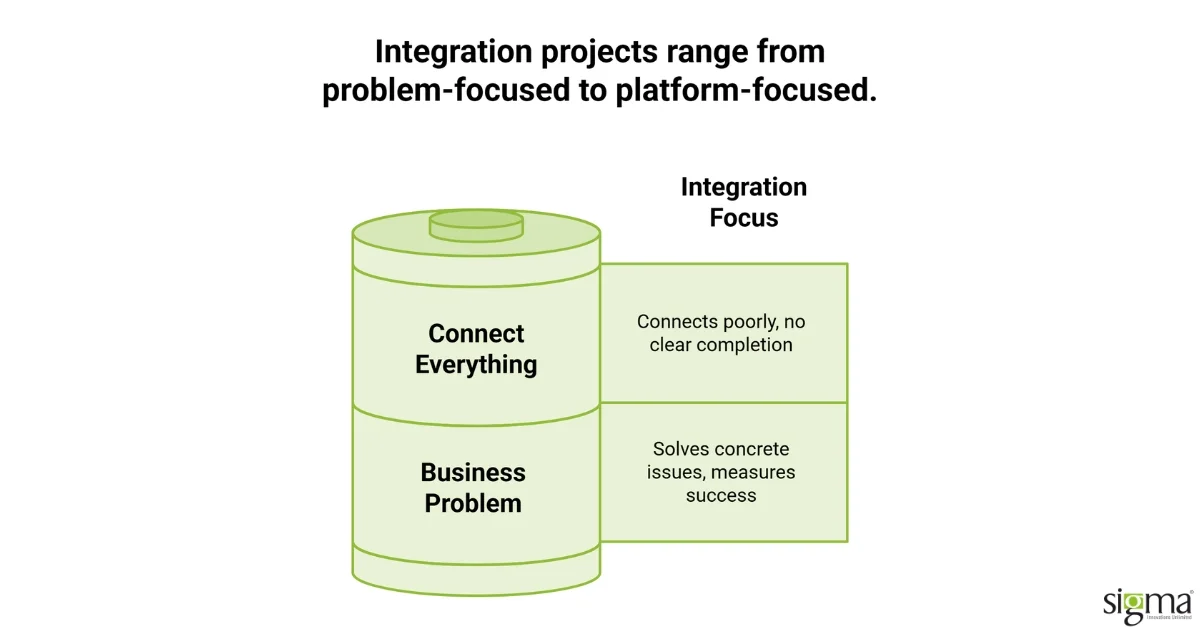
Before any integration work begins, the business needs a specific answer to what is actually broken today. Not a vague sense that systems do not talk to each other, but a named process: which report takes three hours to assemble every Monday, where a customer falls through the cracks between systems, which team is manually re-entering data that already exists somewhere else. A project scoped around a concrete problem has a target and a way to measure success. A project scoped around “connect everything” tends to connect everything poorly, because there is no way to know when it is done.
Stakeholder input matters as much as technical scoping. Sales reps, account managers, and billing coordinators know exactly where the daily friction lives, and they are also the first people to abandon a system that does not match how they actually work, regardless of how technically correct it is. Involving them before architecture decisions are finalized is not a courtesy step; it is how a rollout avoids becoming an expensive tool nobody uses. Data quality deserves the same early attention. Duplicates, missing fields, and inconsistent formats sitting in source systems do not resolve themselves on migration into Salesforce. They become a more expensive version of the same mess, now inside the system meant to be the source of truth.
Make Salesforce Work Around Your Business
Address data silos, streamline workflows, and build integrations that support lasting adoption with Sigma’s Salesforce consulting services.
Decide Who Owns the Data Before You Decide How to Move It
The most common breakdown on an integration project is not technical: it happens when two systems disagree about the same record, and nobody has decided in advance which one is right. Left unresolved, this produces a recurring uncomfortable meeting followed by a manual fix that has to happen again in three months, because the underlying ownership question was never actually settled.
Master data ownership is a straightforward decision made explicit before migration begins, and it is one of the cheapest decisions a team can make early, since it costs nothing but a decision and a document.
| System | Data It Owns | What Happens on Conflict |
| Salesforce | Contact and opportunity data | Salesforce record is authoritative |
| ERP | Pricing and order history | ERP record is authoritative |
| eCommerce Platform | Transaction records | eCommerce record is authoritative |
This is one of the clearest Salesforce data governance decisions a team can make early, since a written rule replaces an argument that would otherwise happen live every time systems disagree. Data quality does not stop mattering at go-live either. Duplicates reappear, fields get populated inconsistently over time, and records go stale without ongoing attention. A lightweight, regular audit process built into normal operations, not a one-time cleanup, is what keeps that trustworthy over the life of the system rather than for the first quarter after launch.
Build Security and Compliance Into the Design, Not the Retrofit
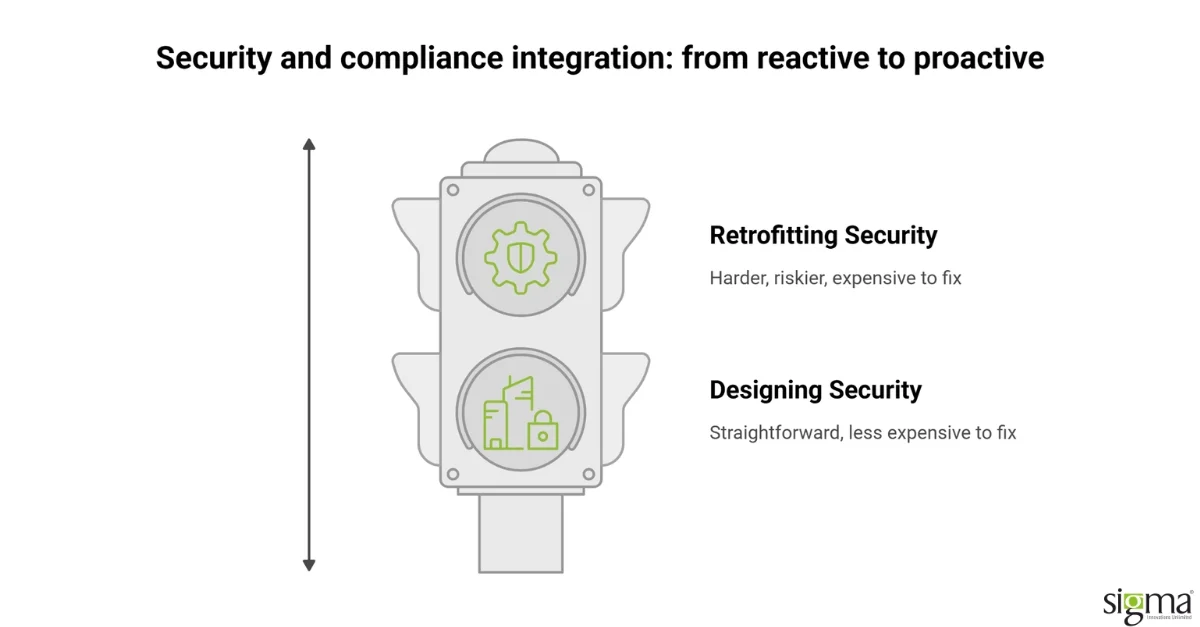
Every connection between Salesforce and an external system is a surface that needs deliberate security design, not an assumption that the platform handles it by default. Named Credentials and OAuth 2.0 are the standard approach because they keep authentication out of code entirely, which means rotating access never requires a full deployment. Field-level security is the piece most teams underestimate: an object-level permission controls whether someone can see a record at all, while field-level security controls what they can actually see inside it. A customer service representative may need account contact information but should not see loan terms or payment details, and designing that distinction from the start is straightforward engineering work. Retrofitting it after go-live, once users are active and workflows already depend on the current permission structure, is materially harder and riskier.
For organizations in lending, healthcare, or any regulated vertical, data residency and audit logging are requirements to design around from the beginning, not preferences to bolt on when an auditor asks. Approval routing, rate modification thresholds, and audit trails need to be part of the original Salesforce integration architecture, tested properly, and documented clearly, because compliance gaps discovered after launch are far more expensive to fix than the same gaps caught in design review.
Automation Should Reduce Maintenance, Not Just Effort Today
Salesforce’s native automation tooling has matured enough that most workflows a business needs can be built without custom code, and that distinction matters more over time than it does at go-live. Before writing Apex, the right question is whether Flow can handle the requirement, because custom code creates a maintenance obligation that compounds with every platform release, requiring someone to verify custom components still function correctly. Native tools carry that maintenance burden for the organization instead. That difference shows up clearly in year three of a Salesforce deployment, when a team maintaining a stack of aging custom components spends materially more time on upkeep than a team that defaulted to native automation wherever it was viable.
Automation choices like these show up clearly once a system is actually live and handling real customer interactions at scale.
Sigma Infosolutions Governs Salesforce Integrations So They Hold Up Under Operational Load
Treat Integration as a Capability, Not a Project With an End Date
Most Salesforce integration problems that surface eighteen months after launch are not new problems; they are the same governance gaps that were never closed, now compounded by catalog growth, new systems, and staff turnover that erased institutional knowledge of how the original integration was built. Over-building is a common failure mode among capable teams: the instinct to architect for every hypothetical future scenario produces systems that are expensive to build, difficult to document, and painful to hand off to anyone who was not in the original project meetings. The more durable approach is building for what the business needs today with clear room to extend, backed by documentation treated as a deliverable rather than an afterthought nobody wants to write.
Change management is the piece most technical teams underestimate. Users who do not understand why a new system or workflow is better will find workarounds, and no amount of architectural elegance survives contact with a sales team quietly reverting to spreadsheets. Sigma Infosolutions delivers Salesforce integration best practices as an ongoing engineering relationship rather than a fixed-scope handoff, pairing certified Salesforce consultants with experience across ERP, eCommerce, and contact center systems so that governance decisions made at launch hold as the organization adds new systems and new complexity. Sigma customized a Salesforce CRM solution for a US-based client to align the platform with how the business actually operated rather than a generic default configuration, and separately modernized a 500-agent lending contact center by integrating Salesforce Service Cloud Voice with Amazon Connect, a project that delivered a 30 percent boost in agent productivity by unifying what had been a fragmented, multi-screen workflow into a single Salesforce interface.
Both engagements held up under real operational load because the integration was scoped around the organization’s actual workflow first. The contact center modernization kept voice and case data synchronized under live call volume; the CRM customization matched the sales team’s actual process instead of a standard configuration. Integrations scoped without that same workflow mapping tend to work in a demo and break under real usage.
Not every Salesforce integration approach fits every organization. Point-to-point integrations are faster to build initially but expensive to maintain as the integration count grows. Middleware platforms add governance and reusability but require more upfront configuration and ongoing administration. Native Salesforce integration tools reduce external dependencies but can create platform lock-in. The right choice depends on integration volume, team capability, and how frequently the connected systems change.
If your Salesforce integration architecture has grown without a clear governance model and you are experiencing adoption or data quality problems, speak with Sigma Infosolutions. Sigma’s Salesforce integration team can assess your current architecture and recommend a remediation approach that protects existing data flows while reducing maintenance burden.
Integration approach carries a real trade-off: point-to-point integrations are faster to stand up but become a maintenance burden as systems are added, while a middleware layer costs more upfront but scales better. Point-to-point may not be suitable beyond two or three connected systems, the cost of that limitation should be weighed before committing to the faster path.
Conclusion
Salesforce integration best practices protect an investment that most organizations treat as purely technical, when the real risk sits in governance and adoption. A rollout fails quietly, not dramatically, when nobody decides which system owns which data and nobody plans for a mess that migrates along with the good data. Starting with a specific business problem rather than a platform ambition gives the project a way to measure whether it succeeded. Deciding data ownership before migration removes the recurring, uncomfortable conflicts that otherwise resurface every few months. Security and compliance design built in from the start costs far less than retrofitting permissions after users are already live in the system. Native automation tools reduce the long-term maintenance burden that custom code quietly accumulates release after release. Change management determines whether a technically sound system actually gets used, since users who do not understand a new workflow will find a way around it. Organizations that treat integration as an ongoing capability, not a project with a fixed end date, hold their governance gains as they add new systems and new complexity. Those that treat it as a one-time build tend to watch the same adoption problems resurface within a year or two. Sigma Infosolutions supports this work as a dedicated Salesforce engineering relationship spanning governance design, integration architecture, and long-term monitoring. Operations and revenue leaders evaluating a stalled or planned Salesforce integration need a partner who treats governance as infrastructure, not an afterthought.
Build a Salesforce Integration That Holds Up
Protect adoption, strengthen data governance, and connect your systems with Sigma’s Salesforce consulting services.
Frequently Asked Questions
What makes a Salesforce integration follow best practices rather than just work technically?
A best-practice integration starts with a named business problem, assigns clear data ownership before migration, and designs security and automation deliberately rather than by default. Technical execution matters, but governance decisions made before any code is written are what determine whether adoption holds past the first few months.
Why does Salesforce adoption decline even after a technically successful rollout?
Adoption typically declines because the system was built around what IT specified rather than how sales and operations actually work, or because training happened once at launch and never again. The fix is rarely more technical work; it is stakeholder involvement, workflow adjustment, and consistent post-launch support.
Who should own data governance decisions in a Salesforce integration project?
Business stakeholders, not just IT, should decide which system is the authority for each data type, since they understand the operational consequences of getting it wrong. IT and integration partners then implement that decision consistently across every connected system rather than making the call themselves.
How does security design differ between a well-governed integration and a rushed one?
A well-governed integration designs field-level permissions, Named Credentials, and audit logging into the original architecture, before users are active in the system. A rushed integration treats these as retrofits, which is significantly more expensive and disruptive once workflows and access patterns are already established in production.
What is the single biggest mistake companies make with Salesforce integration?
Over-investing in technical architecture while under-investing in change management and data governance. The human and organizational side of adoption, not the API layer, is where most Salesforce integrations quietly fail within the first year after launch, long before anyone traces the root cause back to a missing ownership decision.