Mastering Salesforce Headless 360: Features, Implementation, and Enterprise Use Cases
Key Takeaways:
- Salesforce Is Evolving Beyond the Browser
Traditional Salesforce experiences create friction for AI-driven operations. Headless 360 exposes CRM, Data Cloud, Agentforce, and Slack capabilities through APIs, MCP, and CLI, enabling AI agents and applications to work directly with the platform. - AI Delivers Value Only When Connected to Business Context
Most AI initiatives struggle because customer data and workflows remain siloed. Headless 360 gives AI agents secure access to real-time business data, processes, and actions across the Salesforce ecosystem. - Success Requires More Than Technology—It Requires Governance
Deploying AI agents without testing, observability, and security controls creates operational risk. Sigma combines Salesforce, AI, and platform engineering expertise to build governed, enterprise-ready Headless 360 implementations that scale securely.
Introduction
Organizations are investing heavily in AI agents, copilots, conversational interfaces, and workflow automation to improve customer engagement, operational efficiency, and business agility. Yet many of these initiatives struggle to scale because the enterprise data, workflows, and business logic required to power intelligent experiences remain trapped behind traditional application interfaces.
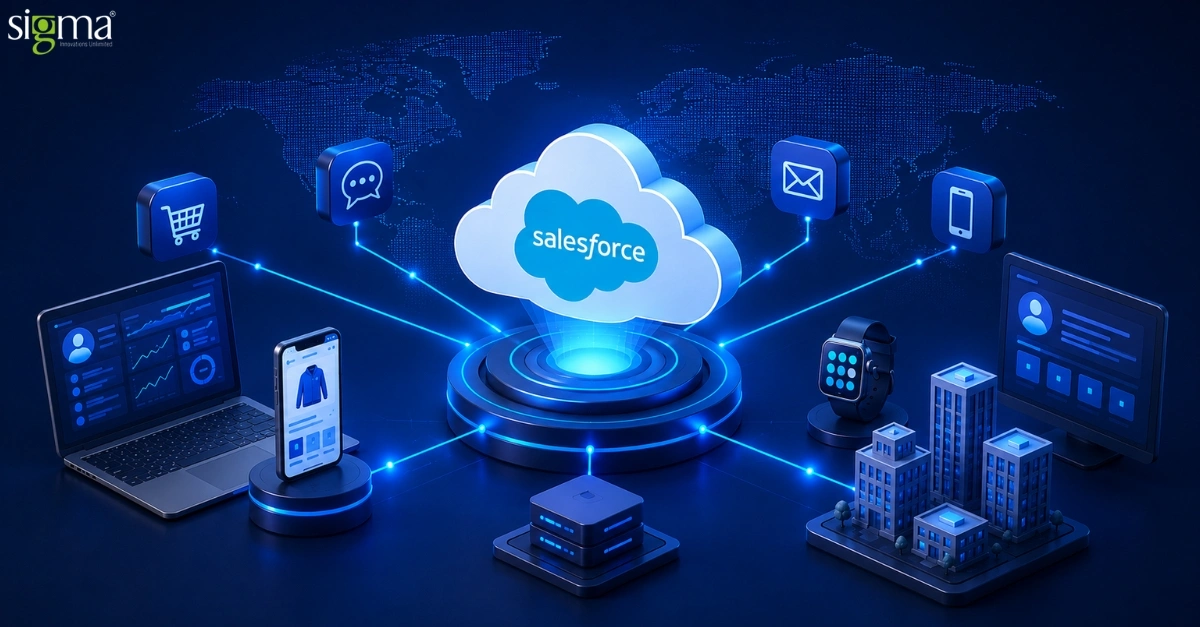
Salesforce Headless 360 addresses this challenge by transforming Salesforce from a browser-centric CRM into an API-first, AI-ready enterprise platform. By exposing Customer 360, Data Cloud, Agentforce, and Slack capabilities through APIs, Model Context Protocol (MCP), and command-line interfaces, organizations can connect AI agents, custom applications, partner ecosystems, and digital channels directly to their business operations. This unlocks new opportunities to automate processes, orchestrate intelligent workflows, and deliver personalized experiences across every customer touchpoint.
However, implementing a headless Salesforce architecture requires more than enabling APIs. Organizations must integrate disparate systems, establish governance frameworks, secure enterprise data, and ensure AI agents can operate reliably across business-critical workflows. Success depends on a well-defined implementation strategy that aligns technology investments with business outcomes.
As a Salesforce consulting, implementation, and integration partner, Sigma brings deep expertise across Salesforce CRM, Agentforce, Data Cloud, API-led architectures, and enterprise AI. From modernizing legacy Salesforce environments to integrating AI-powered experiences and building scalable Headless 360 ecosystems, Sigma delivers the technical capabilities and strategic guidance organizations need to accelerate innovation while maintaining security, governance, and operational control.
What is Salesforce Headless 360?
Salesforce Headless 360 is best understood as an architectural commitment rather than a single new product. The commitment is that every meaningful platform capability — reading and writing data, executing workflows, deploying metadata, evaluating agent behaviour, surfacing rich UI components — is reachable from outside the Salesforce browser interface, through a stable, documented, programmable surface.
Salesforce has had REST and SOAP APIs since the mid-2000s, so part of Headless 360 is a re-framing of capabilities that already existed. The genuinely new elements are: the breadth of MCP tools that ship as a packaged, supported developer experience; a new experience layer for rendering rich agent output across surfaces such as Slack, WhatsApp, and Voice; and a set of agent-lifecycle tools for testing, scoring, and observing agent behaviour in production.
The strategic context
The announcement positions human users and AI agents as parallel consumers of the platform. Humans continue to use Customer 360 apps and Slack; agents work through the same data, workflow, permission, and engagement layers but reach them via APIs, MCP, or CLI. The platform is intentionally surface-agnostic. The same business logic that powers a service console can now be invoked by a coding agent in a developer’s IDE, by a customer-facing agent in WhatsApp, or by a back-office process running in a CI/CD pipeline.
The Three Pillars Announced
Salesforce framed Headless 360 around three categories of innovation, each addressing a different stage of the developer and operator lifecycle.
1. New MCP tools and coding skills
More than 60 new MCP tools and 30+ pre-configured coding skills give a coding agent live, authenticated access to a Salesforce org — covering data, metadata, business logic, and workflows. They plug into the coding agents developers are already using, including Claude Code, Cursor, Codex, and Windsurf, removing the need to write bespoke integration code for each AI environment.
2. A new experience layer for rich, native interactions
The Agentforce Experience Layer (AXL) separates what an agent does from how that output is rendered. An agent might return an approval card, a decision tile, a flight-status component, or a multi-step rebooking workflow. AXL renders that output natively across Slack, mobile, WhatsApp, voice channels, ChatGPT, Claude, Gemini, Microsoft Teams, or any client that supports MCP apps. The pattern is build the agent once, render anywhere.
3. Tools to govern agent behaviour in production
Because agents are probabilistic rather than deterministic, shipping one is the easy part — keeping it well-behaved at scale is harder. Headless 360 introduces a set of lifecycle tools that span pre-launch, in-production, and cross-platform governance. These are detailed in Section 7.
The Four Surfaces
Headless 360 organises platform access around four programmable surfaces. Developers will mostly work with the first three; the fourth is where humans and customers actually consume the agent’s output.
Surface | Primary use | Who calls it |
|---|---|---|
| REST API | Data CRUD, metadata, Agentforce session invocation, Connect API endpoints | Servers, integrations, custom front-ends, AI agents over HTTP |
| MCP | 60+ tools across metadata, data, testing, LWC, code analysis, DevOps, Aura migration | Coding agents (Claude Code, Cursor, Codex, Windsurf) and any MCP-compatible client |
| sf CLI | Scriptable agent generation, deployment, evaluation, raw API access | Developers, CI/CD pipelines, automation scripts, headless deploys |
| Slack & Voice | Conversational front door; rich AXL components rendered in-channel | End users, business stakeholders, customers |
1. REST APIs
The Salesforce REST and Connect REST APIs continue to be the foundation. What changes under Headless 360 is intent: every endpoint is now explicitly positioned as an agent-accessible surface, with documented guidance on token-scoped access and Named Credentials. The Agentforce REST API allows external systems to invoke agent sessions, pass context, and receive structured responses with no logged-in user in the loop.
API governor limits still apply. Enterprise Edition organisations start with a daily ceiling of 100,000 REST API calls on a rolling 24-hour window, pooled across REST, SOAP, Bulk, and Connect REST APIs. Agentic workflows that fan out into many small queries can drain that pool faster than traditional batch integrations, so monitoring matters.
2. MCP — the most material shift
Model Context Protocol (MCP) is an open standard that allows AI assistants to connect to external tools without bespoke integration code. The Salesforce DX MCP server (@salesforce/mcp) ships as part of the Salesforce DX toolchain and exposes more than 60 tools, organised into named toolsets that you can scope per project.
The toolsets currently published by Salesforce are summarised below.
Toolset | What it gives the agent |
|---|---|
| metadata | Deploy and retrieve metadata between DX projects and orgs |
| data | Execute SOQL queries against live orgs |
| testing | Run Apex tests and agent evaluation tests |
| lwc | Generate Lightning Web Components, scaffold Jest tests, surface accessibility guidance |
| code-analysis | Static analysis through Salesforce Code Analyzer |
| devops | CI/CD pipeline access via the DevOps Center MCP |
| aura | Aura-to-LWC migration blueprints and transition guidance |
Installation is a single npx invocation — there is no separate hosted service to provision.
npx -y @salesforce/mcp --orgs myDevOrg --toolsets metadata,data,testing
A practical recommendation: do not enable all 60+ tools at once. Each tool consumes context-window space in your coding agent, and an over-broad toolset confuses model selection. Start with the toolsets you actually need (most teams begin with data, metadata, and testing) and add others as use cases demand. The –allow-non-ga-tools flag opens up beta and developer-preview tools and should be confined to development environments.
3. sf CLI — scriptable, CI/CD-friendly
The sf CLI is the headless-friendly face of the platform. Two command groups matter most under Headless 360. The first is sf agent, which lets you generate agent specifications from a plain-language description, deploy them, and run evaluation tests. The second is sf api request, a thin wrapper that lets the CLI call any Connect API endpoint directly.
Specifications are emitted as YAML, version-controlled with the rest of your metadata, and re-runnable through –spec for iterative refinement rather than starting from a blank file each time.
4. Slack, Voice and the Agentforce Experience Layer
Slack is positioned as the primary front door of the agentic enterprise. Salesforce reported that custom AI agent deployments inside Slack have grown three-fold since January 2026. The Agentforce Experience Layer (AXL) is the new UI service that renders agent output natively in Slack, mobile, voice, WhatsApp, and any MCP-compatible client — including third-party AI assistants such as Claude, ChatGPT, Gemini, and Microsoft Teams.
The promise for developers is build once, render everywhere: the same agent decision tile or approval card displays as a Slack interactive component, a mobile native UI, or a card inside a chat assistant, without code changes.
Also, read the blog: Salesforce Headless 360: Why “Logging In” Is Becoming Optional
The Four-Layer Platform Stack
Headless 360 sits over four established Salesforce investments. Salesforce’s framing is that competitors typically deliver one or two of these layers; the platform value proposition rests on having all four already integrated and already running inside the customer’s estate.
Layer | Product | What it provides |
|---|---|---|
| System of Context | Data 360 (Data Cloud) | Unified, real-time business data exposed to agents as APIs, MCP tools, and CLI commands |
| System of Work | Customer 360 | Decades of business logic and workflows across sales, service, and other functions, now agent-orchestrated |
| System of Agency | Agentforce | Build, deploy, govern, and observe agents at scale across every channel |
| System of Engagement | Slack | Where humans and agents converge to get work done |
This layering matters when evaluating Headless 360 against alternatives. A coding agent connected to a raw database can write SQL, but it does not know that a customer has an open escalation, a renewal due in 30 days, a breached SLA, and a relationship owner with a personal connection to the CFO. That context lives in Customer 360 and Data 360, and Headless 360 is what makes it programmatically reachable from outside the platform.
Developer Tooling Deep Dive
1. Agentforce Vibes 2.0
Agentforce Vibes 2.0 is the Salesforce-native vibe-coding environment. It runs inside Salesforce, has full org awareness from the first prompt, and supports multiple model providers — explicitly including Claude Sonnet and GPT-5. Beyond code suggestions, it understands the customer’s metadata, workflows, and business rules, which is the differentiator versus a generic IDE assistant pointed at a Salesforce repository.
2. DevOps Center MCP and Natural Language DevOps
The DevOps Center MCP brings the same programmatic access into the CI/CD pipeline. The user describes the desired deployment in natural language and the agent executes it. Salesforce reports that the build loop, which previously required context switches across roughly four tools, now happens inside one connected experience and that cycle times can fall by as much as 40 percent.
3. Native React support
For developers who want full control over the visual layer, native React support allows custom interfaces and experiences to be built on Salesforce data and workflows in any design language, interaction model, or brand expression. This is positioned as the alternative to LWC and Lightning App Builder for teams that prefer modern web tooling.
4. AgentExchange
AgentExchange is a unified marketplace bringing together roughly 10,000 Salesforce apps, 2,600+ Slack apps, and more than 1,000 Agentforce agents, tools, and MCP servers from partners including Google, Docusign, and Notion. Discovery is AI-guided and activation is one-click. A $50M Builders Fund supports partners scaling on the platform.
Why Organizations Need a Strategic Salesforce Implementation Partner for Headless 360
Salesforce Headless 360 creates new opportunities to connect AI agents, enterprise applications, customer channels, and business workflows through a unified platform. However, the technology itself is only one part of the equation. Organizations must also address integration complexity, security governance, data architecture, API management, AI orchestration, and long-term scalability.
Many enterprises already operate a fragmented technology landscape that includes ERP systems, customer portals, marketing platforms, data warehouses, collaboration tools, and custom applications. Successfully implementing Headless 360 requires these systems to work together while maintaining performance, compliance, and a consistent customer experience.
Sigma brings deep expertise across Salesforce consulting, implementation, integration, customization, and managed services to help organizations maximize the value of Headless 360 investments. Our teams work across the Salesforce ecosystem—including Sales Cloud, Service Cloud, Experience Cloud, Data Cloud, Agentforce, Slack, and custom application development—to build connected, AI-ready business environments.
How Sigma Supports Salesforce Headless 360 Initiatives
- Design and implement API-first Salesforce architectures for AI-powered business operations.
- Integrate Salesforce with ERP, CRM, marketing automation, analytics, and third-party AI platforms.
- Build Agentforce-powered workflows and intelligent automation solutions grounded in real-time business data.
- Modernize legacy Salesforce environments to support headless experiences and omnichannel engagement.
- Develop secure governance frameworks covering permissions, observability, compliance, and agent lifecycle management.
- Create custom portals, applications, and digital experiences using Salesforce data and workflows.
- Establish scalable DevOps, CI/CD, and release management processes for continuous innovation.
Why Companies Choose Sigma
Organizations partner with Sigma because we combine Salesforce platform expertise with AI engineering, cloud architecture, product development, and enterprise integration capabilities. Rather than treating Salesforce as an isolated CRM system, we position it as the operational foundation for customer engagement, intelligent automation, and AI-driven business transformation.
As Headless 360 accelerates the shift toward agentic enterprises, businesses need a technology partner capable of connecting Salesforce, AI, data, and enterprise systems into a secure, scalable ecosystem. Sigma provides the strategic guidance, implementation expertise, and long-term support required to turn Salesforce Headless 360 from a technical capability into a measurable business advantage.
Also, read the blog: Salesforce Automation Strategies to Optimize Customer Experience and Operations in 2026
Trust and Agent Lifecycle Controls
Agents differ from traditional software in a way that matters for governance: they are probabilistic. The same input does not always produce the same output, and they regularly encounter scenarios that no test ever anticipated. Headless 360 introduces a set of tools to make that manageable.
1. Pre-launch
- Testing Center surfaces logic gaps, policy violations, and inconsistent outputs before users see them.
- Custom Scoring Evals score whether the agent made the right decision, not merely whether the call returned successfully. Teams define what “good” means for each use case and every response is graded against that standard.
- Agent Script defines which parts of the agent’s behaviour must follow explicit business logic and which parts are free to reason.
2. In production
- Observability and Session Tracing show not just what an agent did but why, which is what reduces drift triage from weeks to hours.
- A/B Testing runs multiple agent versions against real traffic in parallel, supporting data-driven promotion to production.
3. Across the wider AI estate
- Agent Fabric brings agents from multiple platforms and vendors under one governed control plane, with deterministic orchestration and centralized governance over agents, tools, and LLMs.
4. Einstein Trust Layer
Every Agentforce session, regardless of whether it was triggered from a browser or a headless API call, runs through the Einstein Trust Layer. The Trust Layer enforces masking of personally identifiable fields before any data reaches an external LLM, holds zero-data-retention agreements with model providers, applies dynamic grounding against the org’s own data with permission checks, and respects field-level security and sharing rules. Agents always operate as a Salesforce user; the user’s permissions cap what the agent can see and do.
Read our success story: Unifying Multi-Org Operations with Salesforce-to-Salesforce Integration for a specialty finance company
Hands-On Walkthrough: “Hello, Agent”
This section reproduces a minimal end-to-end flow that any developer can run from the terminal. The goal is to generate an agent specification from a natural-language description, deploy it to a development org, and run an evaluation test — with no browser involved at any point.
Step 1 — Authorise the org
For interactive use, the standard web-based OAuth flow works. For pipelines, JWT OAuth is the truly headless option.
# Web-based OAuth, suitable for development
sf org login web --alias myDevOrg --instance-url https://login.salesforce.com

# JWT-based OAuth, suitable for CI/CD
sf org login jwt \
  --client-id <CONNECTED_APP_CONSUMER_KEY> \
  --jwt-key-file server.key \
  --username deployer@mycompany.com \
  --alias myCIOrg
JWT auth requires a Connected App configured with the JWT OAuth flow and a certificate uploaded to Salesforce. The certificate-upload step is the most common point of failure in headless pipelines, so verify it explicitly when first wiring up CI.
Step 2 — Generate an agent specification
sf agent generate agent-spec \
  --type customer-facing \
  --role "Handle tier-1 billing support questions and escalate unresolved cases" \
  --company-description "B2B SaaS, Enterprise edition, 500-seat customer base" \
  --max-topics 4 \
  --tone professional \
  --output-file specs/billingAgentSpec.yaml \
  --target-org myDevOrg
The command emits specs/billingAgentSpec.yaml containing the agent definition and up to four sub-agent topics. Re-running with –spec specs/billingAgentSpec.yaml refines the previous output rather than starting from scratch.
Step 3 — Deploy to the org
sf project deploy start \
  --source-dir force-app \
  --target-org myDevOrg \
  --wait 10
This is standard metadata deployment. Agent definitions live alongside the rest of the metadata in force-app/main/default/botDefinitions/, version-controlled and code-reviewable like any other source artifact.
Step 4 — Run evaluation tests
# Run agent evaluation tests
sf agent test run --target-org myDevOrg

# Query test results via Connect API
sf api request rest \
  "/services/data/v63.0/connect/ai/agent-evals" \
  --target-org myDevOrg
Once the @salesforce/mcp server is configured in a coding agent, all of the above can be executed autonomously. The developer states the goal in natural language — for example, “create a billing support agent, deploy it to myDevOrg, and run the evaluations” — and the agent orchestrates the steps. That is the practical meaning of “agentic everything” in the context of platform development.
Real-World Use Case: Claude Salesforce Connect
This section illustrates Headless 360 in practice through a deployment we have implemented: connecting Anthropic’s Claude to a Salesforce org via the Salesforce Claude Connect MCP connector. Claude is not a Salesforce-native AI — it is a third-party general-purpose model. The fact that it can act as a competent CRM operator without ever opening a Salesforce browser tab is the canonical demonstration of the Headless 360 thesis.
1. Architecture
The connector is an MCP server that authenticates against Salesforce using OAuth and exposes a curated set of platform tools to Claude. When the user asks Claude something that requires CRM data or action, Claude selects the relevant tool, the connector translates the call into a Salesforce REST/Connect API request, and the result is returned in a structured form Claude can reason over. There is no Salesforce UI in the loop and no bespoke integration code in Claude. The MCP standard is doing the heavy lifting on both sides.
2. Tools available to Claude
The Salesforce Claude Connect connector currently exposes the following tools.
Tool | What it does |
|---|---|
| soqlQuery | Executes a SOQL query and returns matching records, respecting the calling user’s field-level security and sharing rules |
| find | Runs a SOSL-style text search across multiple objects in a single call |
| getObjectSchema | Returns object schema information shaped for LLM consumption — useful before generating Apex, queries, or integrations |
| getRelatedRecords | Traverses parent-to-child relationships from a given record |
| listRecentSobjectRecords | Returns records of a given type recently viewed or modified by the user |
| createSobjectRecord | Creates a new record on any standard or custom object |
| updateSobjectRecord | Updates an existing record by ID |
| updateRelatedRecord | Updates a child record by navigating from a parent through a relationship |
| getUserInfo | Returns the current user’s identity, role, and preferences — useful for permissions-aware reasoning |
3. Concrete scenarios
Sales pipeline review
A sales manager asks Claude in chat: “Summarise the deals over $250k closing this quarter in the West region, and tell me which ones do not yet have a discovery call logged.” Claude calls soqlQuery to fetch the matching opportunities, then calls getRelatedRecords on each opportunity to inspect activities, and produces a written summary with risk flags. No browser, no manually-built report.
Service triage
A service rep asks: “Show me every open case for Acme Corp in the past 30 days, with the related contacts and the last comment on each.” Claude uses find to locate the Acme Corp account, then soqlQuery against the Case object filtered by account, then getRelatedRecords to pull contacts and case comments. The rep gets a triage view assembled in seconds.
Bulk update with reasoning
An ops user asks: “For every renewal-stage opportunity over $100k, set the next-step field to ‘Schedule QBR’ and add a follow-up task assigned to the owner.” Claude runs soqlQuery to identify the targets, calls updateSobjectRecord on each, and createSobjectRecord to add the tasks. Crucially, Claude can describe what it is about to do, ask for confirmation, and then proceed — a human-in-the-loop pattern that matches Salesforce’s own production guidance.
Schema-aware code generation
A developer pastes a snippet and asks: “Write Apex that emails the account team whenever any custom field on Opportunity__c changes.” Claude calls getObjectSchema for Opportunity__c first to see the actual fields, types, and relationships in this org, then generates Apex that compiles cleanly against this specific schema rather than a generic guess.
Why this is the Headless 360 thesis in miniature
The Claude Salesforce Connect deployment exercises every element of the Headless 360 vision in a single integration:
- MCP, not bespoke glue. The connector is an MCP server. Claude did not need a Salesforce-specific SDK; the MCP standard handled discovery and invocation.
- API as UI. The user experience is a chat conversation. The Salesforce browser interface is never opened.
- Trust layer inheritance. The connector authenticates as a Salesforce user, so field-level security, sharing rules, and OAuth scopes are respected automatically. The agent cannot read what the user cannot read.
- Surface-agnostic. The same Claude assistant could equally be invoked from a desktop app, a mobile chat, a Slack channel, or a custom React UI — a different surface, the same MCP-mediated platform access.
- Agentic, not just reactive. Multi-step reasoning (query → inspect → update → verify) happens inside Claude, with the platform supplying tools and data on demand.
Operational considerations
A few cautions are worth carrying into any production deployment of this pattern.
- Scope the OAuth Connected App tightly. Grant api and refresh_token only; do not grant full unless there is a specific reason. Over-scoped agents can do everything a System Administrator can do.
- Treat tool calls as API calls for governor-limit purposes. Each Claude invocation that touches Salesforce consumes from the daily 100,000-call pool on Enterprise Edition. Agentic flows can fan out in surprising ways; instrument and monitor.
- Keep humans in the loop for destructive actions. Updates and creates should require explicit confirmation in the chat surface, not implicit consent.
- Use Named Credentials for production identities. Keep authentication metadata out of agent context.
- Log enough to reconstruct decisions. When an agent takes an action, the audit trail should answer “who asked, what tool was called, what was the result” — and ideally tie back to a session ID.
Governor Limits and Security
1. API limits
Headless 360 does not change the underlying API governor model. What it changes is the access pattern: agentic workflows can produce many more small API calls than a traditional batch integration would. The numbers below are the standard Enterprise Edition defaults.
Resource | Default (Enterprise) | Notes |
|---|---|---|
| Daily API calls | 100,000 (rolling 24h) | Pooled across REST, SOAP, Bulk, Connect |
| Connect REST rate limit | Per-app, per-user, per-hour | HTTP 503 returned when exceeded |
| SOQL queries per transaction | 100 | Applies to synchronous Apex called from agent tools |
| DML statements per transaction | 150 | Governor limits do not relax for agents |
| Heap size (sync / async) | 6 MB / 12 MB | Apex executed by agent tools is subject to this |
| CPU time (sync / async) | 10 s / 60 s | Tight loops in agent tools will trip this |
2. Authentication
For genuinely headless deployments use the JWT OAuth flow. It does not require a browser redirect and supports certificate-based authentication. The Connected App should be scoped to only the OAuth scopes the agent actually needs:
- api — access to REST and SOAP APIs
- refresh_token — keep sessions alive between calls
- web — not needed for headless flows; omit it
Avoid over-scoping. An agent with full scope is functionally a System Administrator. Use Named Credentials to keep authentication details out of code and out of any agent’s context window.
3. Einstein Trust Layer
The Trust Layer is on by default and is not configurable to off. It applies to every Agentforce session, headless or not, and enforces PII masking, zero-data-retention agreements with LLM providers, dynamic grounding with permission checks, and field-level security compliance. From a developer perspective the rule of thumb is simple: agents see what their authenticating user sees — nothing more.
Conclusion
Salesforce Headless 360 marks a significant shift from browser-centric CRM experiences to AI-ready, API-first business operations. By exposing Salesforce capabilities through APIs, MCP, and CLI, organizations can connect AI agents, applications, and workflows to drive greater automation, agility, and customer engagement.
However, technology alone is not enough. Success depends on integrating systems, governing AI interactions, and building a scalable architecture aligned with business goals. With expertise across Salesforce, Agentforce, Data Cloud, AI, and enterprise integrations, Sigma helps organizations transform Headless 360 capabilities into measurable business outcomes.
Ready to explore Salesforce Headless 360 for your business?