Shopify Dawn Theme: How to Decide If It Fits Your Store or If You Need a Custom Build

Key Highlights:
- Merchants often pick a Shopify theme based on visual appeal without evaluating what it costs to customize as the store scales.
- The Shopify Dawn theme offers a fast, free, Online Store 2.0 foundation, but it is not the right fit for every catalog or growth stage.
- Choosing correctly up front avoids an expensive mid-growth theme migration that disrupts conversion and SEO equity.
- Sigma has migrated and customized Shopify Plus stores where theme choice was treated as an architecture decision, not a design one.
Introduction
Merchants selecting a Shopify theme typically compare screenshots and price tags side by side, then discover months later that the theme they chose cannot support the merchandising complexity their catalog actually needs without extensive custom development work. The Shopify Dawn theme, Shopify’s free, performance-focused Online Store 2.0 reference theme, is a genuinely strong foundation for a large share of stores, but treating it as the default choice without checking it against catalog complexity and growth plans is how merchants end up mid-migration during a peak sales season. The right comparison starts with what the store actually needs to do, not which theme looks best in a demo environment with a light, uncustomized catalog and no real traffic. For CTOs and heads of eCommerce at growth-stage retailers, that means grounding the theme decision in a concrete catalog requirements review before any development commitment is made. Getting this right the first time is considerably less disruptive than a reactive theme migration undertaken while traffic is live and revenue goals are in motion.
What Makes Dawn Different From a Premium Theme
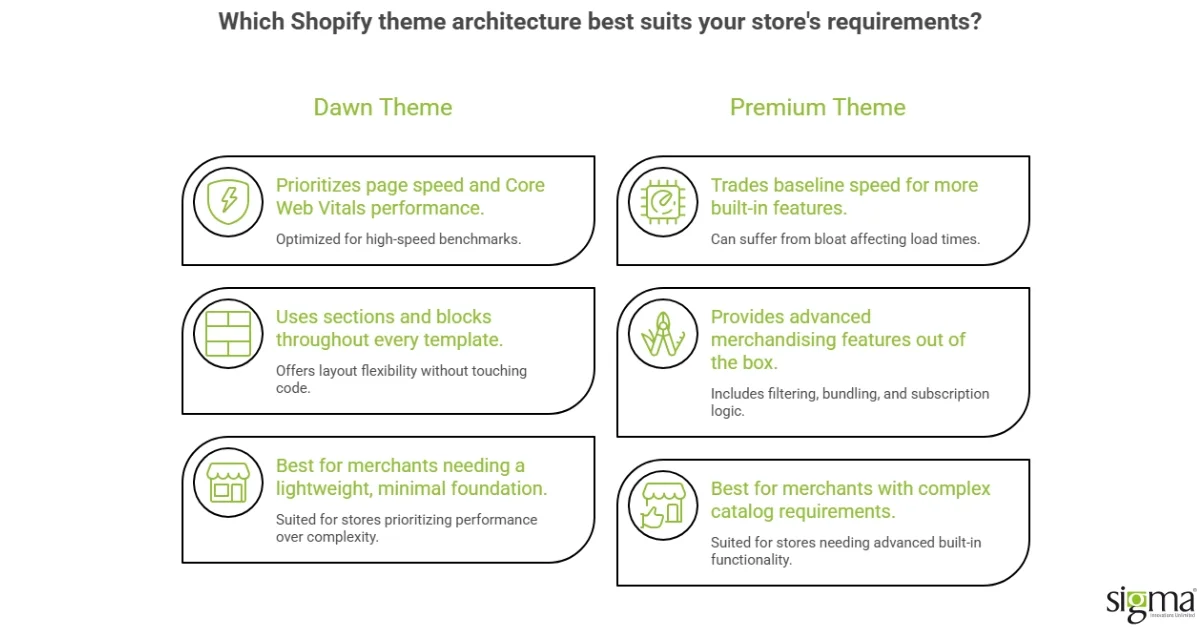
Dawn is built on Shopify’s Online Store 2.0 architecture, which means it uses sections and blocks throughout every template, not just the homepage, giving merchants meaningfully more layout flexibility without touching code than earlier-generation themes offered. It is also deliberately minimal, prioritizing page speed and Core Web Vitals performance over built-in merchandising features, which is precisely why it performs well in benchmarks but can feel limited for merchants who need advanced filtering, bundling, or subscription display logic out of the box. A premium theme typically trades some of that baseline speed for more built-in features, which can be the right trade for a complex catalog but adds bloat that a simpler store does not need and ends up paying for in load time.
Where Catalog Complexity Changes the Shopify Dawn Theme Decision
A store with a small, straightforward catalog and a handful of collections generally will not miss anything Dawn does not include natively, and the performance benefit of its minimal footprint compounds directly into conversion rate, since page speed is a measurable driver of checkout completion. A store with complex variant structures, bundling logic, or a large catalog requiring advanced filtering will hit Dawn’s limits faster, and the custom development required to add that functionality on top of Dawn can end up costing more than starting from a theme already built with that complexity in mind. Sizing this correctly before development starts is the single highest-leverage decision in the entire theme selection process, since it determines whether the store spends its development budget on customizing a minimal foundation or licensing a theme already built to handle that complexity out of the box. Merchants who skip this sizing step and choose based on visual preference alone tend to discover the mismatch only once real product data is loaded into the store, at which point the fix requires rework rather than a simple configuration change.
Also, read the blog: Why Shopify’s Dawn Theme Is the Secret to High-Converting Online Stores
Comparing Dawn Against the Main Alternatives
| Factor | Shopify Dawn | Premium Theme | Fully Custom Build |
|---|---|---|---|
| Cost | Free | One-time license fee | Highest, ongoing development |
| Page Speed Baseline | Strongest out of the box | Varies by theme | Depends entirely on build quality |
| Built-In Merchandising Features | Minimal by design | Moderate to extensive | Whatever is specified |
| Best Fit | Simple to moderate catalogs | Complex catalogs needing specific features | Highly differentiated brand experience |
Why Conversion Impact Is a Better Comparison Metric Than Feature Count
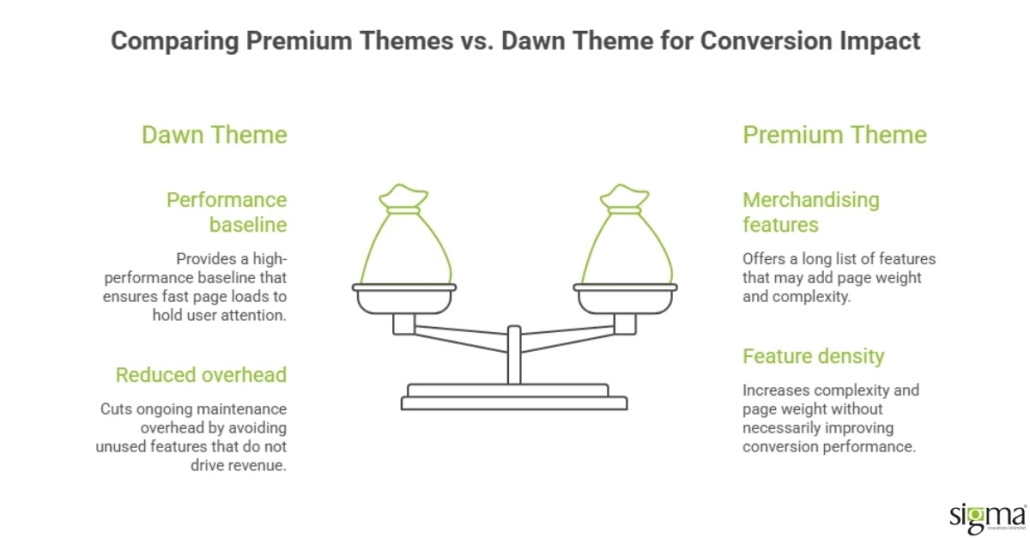
Feature comparisons between themes tend to favor whichever option has the longest list, but feature count does not reliably predict conversion performance, since unused features add page weight and complexity to every page load without adding any corresponding revenue in return. The more useful comparison looks at how each option performs against the store’s actual checkout funnel: does the product page load fast enough to hold attention, does the cart handle the store’s real discount and bundling logic without friction, and does mobile performance, where most Shopify traffic now originates, hold up under the theme’s actual weight rather than a demo environment’s ideal conditions.
That migration involved exactly this kind of theme evaluation, weighing a premium theme’s merchandising features against Dawn’s performance baseline for a catalog with real complexity to account for.
The Theme Evaluation Sigma Runs Before Any Shopify Storefront Build
Sigma Infosolutions works with growth-stage and enterprise Shopify merchants to evaluate theme choice as an architecture decision tied to catalog complexity, conversion goals, and growth trajectory, rather than a design preference decided in isolation from those operational factors. That has included Shopify Plus migrations balancing custom merchandising needs against page speed, and multi-store optimizations for brands managing complex catalogs across regions where theme performance directly affected checkout completion rates and overall customer experience.
Getting this decision right the first time avoids the disruptive mid-growth theme migration that many merchants eventually face, one that risks losing SEO equity and conversion momentum during the transition if it happens under time pressure rather than as a planned decision.
What a Practical Evaluation Process Actually Looks Like
A practical way to work through this decision is to start from the store’s real product data rather than the theme’s marketing page: pull the actual variant counts, the collection structure, and the discount or bundling rules currently in use, then check each candidate theme against that specific list rather than a generic feature comparison. Stores frequently discover during this exercise that they need far fewer custom features than they assumed, since some of what felt like a Dawn limitation was actually a workaround for a merchandising rule that could be simplified instead of engineered around. This step alone often changes the outcome of the theme decision, since it replaces a subjective comparison with a concrete list of requirements the chosen theme actually needs to satisfy.
Once that requirements list exists, it also becomes the basis for evaluating conversion impact specifically, since page speed, mobile checkout performance, and how cleanly the theme handles the store’s real discount logic can each be tested directly against Dawn, a shortlisted premium theme, or a scoped custom build before any development commitment is made.
How Sigma Infosolutions Implements Shopify Theme Projects
Sigma Infosolutions implements Shopify theme projects, including Dawn theme deployments, customizations, and migrations from legacy themes, as structured engagements covering requirements definition, performance baseline measurement, custom component build, and post-launch conversion monitoring. Sigma’s approach ensures that theme changes are tested against conversion benchmarks before full rollout.
If you are evaluating a Shopify theme change and want to understand whether Dawn fits your store’s requirements or whether a custom build is necessary, speak with Sigma Infosolutions. Sigma’s Shopify team can assess your current theme, catalog complexity, and conversion priorities before recommending an approach.
For eCommerce directors and VPs of Digital, the Dawn theme decision is a build-cost question as much as a design one: default Dawn is fast to launch but limited in customization, while a custom build costs more upfront but removes that ceiling. Technology leaders should weigh that trade-off against how differentiated the storefront experience needs to be for the brand’s positioning.
Choosing between Shopify Dawn and a custom theme?
Conclusion
Choosing the Shopify Dawn theme over a premium or custom alternative should be driven by catalog complexity and growth trajectory, not visual preference or price point alone. Dawn’s Online Store 2.0 architecture and minimal footprint make it a strong foundation for stores with straightforward catalogs, where its performance advantage compounds directly into better conversion rates over time. Stores with complex variant structures, bundling logic, or advanced filtering needs tend to hit Dawn’s limits faster, and the custom development required to close that gap can cost more than starting with a better-suited alternative from the outset. Comparing themes by feature count is less useful than comparing them by actual checkout funnel performance, since unused features add page weight without adding revenue to the store. Premium themes trade some of Dawn’s baseline speed for built-in merchandising functionality, which can be the right trade for a complex catalog but is unnecessary overhead for a simpler one. Sizing catalog complexity accurately before development starts is the highest-leverage decision in the entire theme selection process, since it determines whether the store needs Dawn, a premium theme, or a custom build. Getting this decision right the first time avoids a disruptive mid-growth migration under time pressure, one that risks SEO equity and conversion momentum if it happens reactively rather than as a planned transition. Migration decisions made carefully, benchmarked before and after, and executed outside peak sales periods carry considerably less risk than reactive switches made under pressure. The right theme choice ultimately depends on where the store’s real complexity lives, not on which option has the most features listed on a comparison page. Merchants who evaluate theme choice as an architecture decision, tied to catalog complexity and growth plans, consistently avoid the costly rework that comes from treating it as a purely visual one. That evaluation is worth doing carefully before committing development resources to either customization or migration.
Planning a Shopify Theme Upgrade or Migration?
Frequently Asked Questions
Q: Is the Shopify Dawn theme good enough for a growing store, or will we need to migrate later?
It depends on catalog complexity more than store size. A store with straightforward products and collections can scale on Dawn well past the growth stage, while a store needing advanced filtering, bundling, or subscription logic will likely need either a premium theme or custom development sooner.
Q: What is the main performance advantage of Dawn over premium themes?
Dawn is built with a deliberately minimal footprint, which gives it a strong page speed and Core Web Vitals baseline out of the box. Premium themes often add built-in merchandising features that improve functionality but can add page weight that affects load time if not configured carefully.
Q: Can Dawn be customized to add features it does not include by default?
Yes, since it is built on Online Store 2.0’s sections and blocks architecture, which supports significant customization without a full rebuild. The consideration is cost: extensive custom development on top of Dawn can end up costing more than starting with a theme already built for that complexity.
Q: How do we know if our catalog is complex enough to need a premium or custom theme?
Signs include needing advanced product filtering across many attributes, complex bundling or subscription logic, or merchandising features that would require substantial custom development to replicate on a minimal theme like Dawn. If those needs are already clear from a requirements review, evaluate premium or custom options directly.
Q: Does switching Shopify themes affect SEO or existing conversion rates?
It can, particularly if the migration is not planned carefully around URL structure, page speed changes, and content parity across templates. A planned migration executed outside peak sales periods, with performance benchmarked before and after, minimizes this risk considerably compared to a reactive, time-pressured switch.