How to Scale Magento for Back to School Traffic and High SKU Catalogs

Key Highlights:
- High SKU catalogs paired with seasonal traffic surges cause faceted search timeouts, slow category pages, and rising cart abandonment during the back-to-school window.
- Stores that invest in Magento faceted search optimization before peak season protect conversion rates, maintain search rankings through strong Core Web Vitals, and turn traffic spikes into revenue instead of downtime.
- Retailers who skip pre-season performance work risk losing shoppers to faster competitors, accumulating crawl budget waste from uncontrolled filter URLs, and burning ad spend on traffic that never converts.
- Back-to-school retail sales are projected to reach $85.42 billion in 2026, with 67% of shoppers starting purchases by early July. Stores running large catalogs on Magento or BigCommerce need their search and navigation layers ready well before that window opens.
Introduction
Back-to-school retail sales are projected to reach $85.42 billion in 2026, with 67% of shoppers beginning their purchases by early July. As the shopping season gains momentum, retailers managing large online catalogs are already experiencing sustained increases in traffic driven by seasonal promotions and early purchasing behavior. In this environment, investing in scalable eCommerce development services is no longer just about preparation; it’s about ensuring storefronts remain fast, resilient, and conversion-ready throughout one of the year’s most important retail periods.
For eCommerce retailers running Magento or BigCommerce stores with thousands of SKUs across apparel, school supplies, and multi-category catalogs, the extended shopping window creates a compounding challenge. Traffic builds over weeks rather than peaking on a single day, exposing weaknesses in search, navigation, indexing, caching, and overall storefront performance. Retailers managing 5,000 to 50,000+ SKUs with dozens of filterable attributes face the greatest risk. When hundreds of concurrent shoppers apply size, color, brand, and price filters on category pages with thousands of products, the database queries powering Magento’s layered navigation must scale seamlessly, or performance will quickly deteriorate.
There is very little middle ground. Slow faceted search, overloaded databases, and delayed page responses translate directly into lost conversions, weaker Core Web Vitals, declining organic visibility, and wasted advertising spend during one of the year’s highest-revenue seasons. This article explores why high-SKU catalogs struggle under sustained seasonal traffic, where the underlying architectural bottlenecks exist, and how growth-stage retailers can use strategic eCommerce development and performance optimization to keep Magento and BigCommerce storefronts performing at their best throughout the back-to-school shopping season.
Looking to strengthen your storefront before peak demand?
Why High SKU Catalogs Break Under Seasonal Traffic
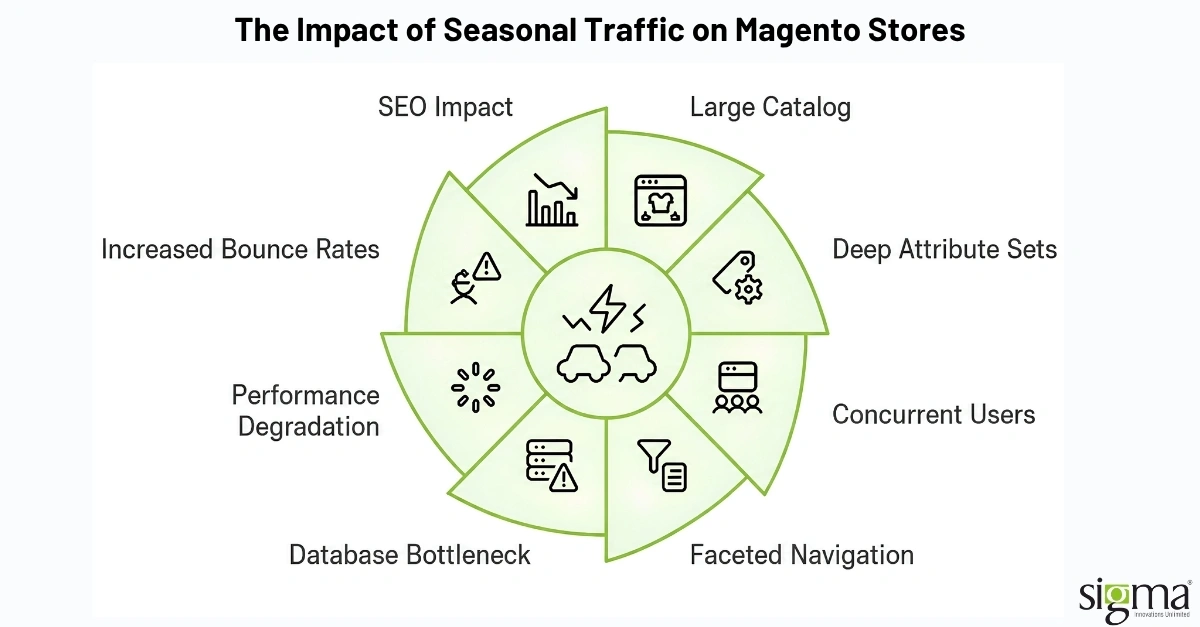
Most Magento stores perform acceptably under normal daily traffic. The problems surface when two forces combine at once: a large catalog with deep attribute sets and a sustained increase in concurrent users filtering, sorting, and searching through that catalog simultaneously.
Faceted navigation is the most common trigger. Every filterable attribute on a category page (size, color, material, price range, brand, availability) generates a database query to count the matching products for each filter value. On a category with 6,000 SKUs and 12 filterable attributes, a single page load can produce dozens of count queries before the shopper even clicks a filter. Multiply that by 500 concurrent sessions during a back-to-school promotional push, and the database layer starts queuing requests faster than it can clear them.
The result is predictable. Page load times climb from two seconds to five, then eight. Shoppers see spinning loaders on filter selections. Add to cart actions time out. Bounce rates spike. And because Google factors Core Web Vitals into search rankings, the performance degradation compounds: slower pages lead to lower organic visibility, which forces greater reliance on paid traffic, which in turn drives even more concurrent load on an already strained infrastructure.
Struggling with high-SKU catalog performance?
Where the Bottlenecks Actually Sit
The instinct for many teams is to throw more server resources at the problem. Bigger instances, more memory, higher CPU allocation. That helps, but it treats the symptom rather than the cause. In high SKU Magento environments, the bottlenecks are almost always architectural.
Unoptimized Elasticsearch or OpenSearch Indexes
Magento 2.4+ relies on Elasticsearch (or OpenSearch in 2.4.8+) for catalog search and layered navigation. Out of the box, the default index configuration works for catalogs under a few thousand SKUs. Once the catalog crosses 10,000 products with complex attribute sets, the index mapping, shard count, and refresh intervals need to be tuned for the specific catalog shape. Stores that skip this step end up with search queries that take 800ms or more per filter interaction, which is far too slow for a responsive browsing experience.
Flat Catalog and Indexer Misconfigurations
Magento’s indexing system pre-computes product data into flat tables so that category and search pages can read from optimized structures instead of hitting the EAV tables directly. When indexers fall behind, or when flat catalog settings are misconfigured, the storefront queries fall back to the slower EAV structure. During a traffic spike, this fallback turns a manageable load into a cascading failure.
Faceted URL Explosion
Every filter combination Magento generates is a potential URL. A category with 10 filterable attributes and 5 values each can produce thousands of unique parameter URLs. If those URLs are crawlable by search engines, two things go wrong at once. First, Google spends its crawl budget on low-value filter pages instead of indexing the product and category pages that actually drive revenue. Second, the server processes rendering requests for filter combinations that no human shopper would ever use, consuming resources during the exact window when real shoppers need them.
Caching Gaps in the Navigation Layer
Magento’s built-in full-page cache (typically Varnish) works well for anonymous product and category pages. But faceted navigation pages with active filters often bypass the cache because each filter combination produces a unique URL or query string. Without a deliberate strategy for caching filter results or pre-warming high-traffic filter combinations, the navigation layer hits the application server on every interaction.
The following table summarizes these bottlenecks and their business impact:
| Bottleneck | Technical Symptom | Business Impact |
| Untuned search indexes | Filter queries exceeding 500ms | Sluggish faceted navigation, shopper frustration |
| Indexer misconfigurations | Stale product data on category pages | Incorrect stock or pricing shown to shoppers |
| Faceted URL explosion | Thousands of crawlable filter URLs | Crawl budget waste, diluted SEO equity |
| Navigation caching gaps | Cache misses on filtered category pages | Server overload during concurrent traffic spikes |
| Attribute count bloat | Excessive filterable attributes per category | Multiplied database queries per page load |
Read the blog: How to Speed Up a Magento Store Without Rebuilding It From Scratch
Preparing for Peak: A Pre-Season Performance Playbook
Fixing these issues after the traffic arrives is firefighting. Fixing them six to eight weeks before the season starts is engineering. For growth-stage eCommerce teams managing their own Magento or BigCommerce stores, the following sequence addresses the highest impact areas first.
Audit and Trim Filterable Attributes
Not every product attribute needs to be a filter. A school supplies retailer with attributes like “manufacturer part number” or “warehouse location” exposed as faceted filters is generating database queries that no shopper will ever use. Start by reviewing which filters shoppers actually click. If analytics show that fewer than 1% of sessions interact with a specific filter, remove it from the layered navigation. This single step can reduce the query load per category page by 20% to 40% depending on how many unnecessary filters have accumulated.
Tune the Search Engine Layer
For Magento stores on OpenSearch, review shard count, replica settings, and index refresh intervals. A catalog with 15,000 SKUs does not need the same shard configuration as one with 150,000. Set refresh intervals to balance index freshness against query performance. For stores running Adobe Commerce with Live Search, validate that the SaaS search layer is returning results within acceptable latency thresholds under simulated concurrent load, not just during a single user test.
Implement Faceted URL Controls
Decide which filter combinations should be indexable by search engines and which should not. High intent combinations like brand plus category or color plus size often match real search queries and deserve their own indexable URLs with proper canonical tags. Low intent combinations like price range plus sort order should carry noindex directives or be blocked via robots.txt. This protects crawl budget and ensures that the pages Google does index are the ones that convert.
Pre-Warm Caches for High Traffic Categories
Identify the 20 to 30 category and filter combinations that will receive the most traffic during the back-to-school window. Use a cache-warming script or crawler to pre-populate the Varnish or CDN cache with those pages before the promotion launches. This ensures that the first wave of shoppers hits cached responses instead of triggering cold application server renders.
Load Test with Realistic Scenarios
Synthetic load tests that simulate 1,000 users all hitting the homepage are not useful. Build test scenarios that reflect actual shopping behavior: concurrent users filtering on category pages, adding products to cart from search results, and applying coupon codes at checkout. Tools like Gatling or k6 can simulate these flows against a staging environment. The goal is to find the breaking point before customers do.
BigCommerce Considerations for High SKU Catalogs
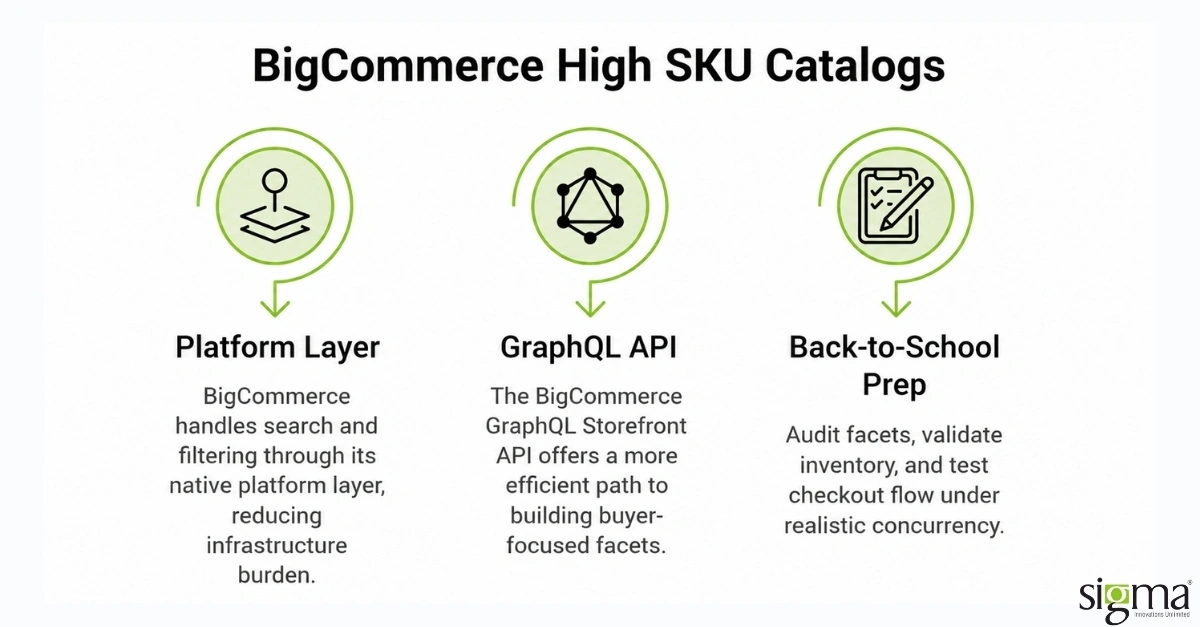
While Magento dominates the conversation around high SKU catalog management, BigCommerce merchants face their own version of this problem during seasonal traffic surges. BigCommerce handles search and filtering through its native platform layer, which removes some of the infrastructure burden from the merchant. However, stores with large catalogs still need to pay attention to faceted search performance.
The BigCommerce GraphQL Storefront API offers a more efficient path to building buyer-focused facets. Instead of loading all product data and filtering on the client side, merchants can use GraphQL queries to retrieve only the attributes and product counts needed for each filter interaction. This reduces payload sizes and improves page responsiveness, especially on category pages with thousands of results.
For any BigCommerce back-to-school preparation effort, the priorities overlap with Magento: audit which facets are actually used, validate that inventory data stays accurate under load, and test the checkout flow under realistic concurrency before the promotional window opens.
Optimize your BigCommerce storefront for peak shopping seasons.
Why Sigma Infosolutions Is the Partner Growth Stage Retailers Call Before Peak Season
Most agencies will happily rebuild your entire storefront. That is not what this problem needs. A store with 15,000 SKUs that slows to a crawl during back-to-school does not need a replatform. It needs someone who can open the hood, find the three or four things that will break under load, and fix them before the traffic arrives.
That is the kind of work Sigma does well, and it is worth explaining why.
Sigma’s eCommerce engineers have spent years inside Magento and BigCommerce catalogs that range from 5,000 to 50,000+ SKUs. The team has tuned OpenSearch clusters for retailers where a single category page was firing 90+ filter count queries per load. They have untangled faceted URL structures where Google was indexing 200,000 parameter combinations that no human shopper would ever visit. And they have run load simulations that replicate what actually happens when a promotional email lands in 40,000 inboxes on a Tuesday morning, and everyone clicks through to the same filtered category page within 15 minutes.
What makes this different from a general Magento support contract is specificity. Sigma does not run a generic speed checklist. The team maps the relationship between your specific catalog shape (how many attributes, how deep the category tree, how your inventory syncs) and the query patterns your shoppers actually produce. A school supplies retailer with 800 SKUs across 6 categories has a completely different bottleneck profile than an apparel brand with 20,000 SKUs, 14 filterable attributes, and 50 physical stores syncing inventory in real time. Sigma treats them differently because they are different.
The engagement typically runs six to eight weeks before the expected traffic window. The team works inside your existing stack, not alongside it. By the time the season opens, the store has been tested under realistic concurrent load, the caching and indexing layers are tuned for your actual catalog, and the faceted navigation responds in under 300 ms per filter interaction. After launch, Sigma stays on through the selling window to catch regressions from catalog updates, new promotions, or extension changes that roll in mid-season.
Read our success story: Scale high-SKU Magento stores with confidence – Sigma Infosolutions helps brands modernize Magento, boost performance, and handle peak-season traffic without compromising customer experience.
Conclusion
High SKU catalogs and seasonal traffic spikes are not new challenges. But the cost of ignoring them has gone up. With back-to-school shopping now stretching across a four-month window and shoppers expecting sub-two-second page loads on every filter interaction, the performance bar is higher than it was even two years ago. Magento faceted search optimization is not a cosmetic improvement. It is the difference between a store that converts during its highest traffic window and one that loses shoppers to faster competitors. The retailers who invest in search index tuning, faceted navigation architecture, caching strategy, and pre-season load testing are the ones who turn seasonal demand into seasonal revenue. Sigma Infosolutions helps growth-stage eCommerce brands get there, not as a one-off fix, but as a long-term performance engineering partner that keeps storefronts fast under real-world conditions.
Ready to prepare your storefront for peak traffic?
Frequently Asked Questions
What is Magento faceted search optimization and why does it matter for large catalogs?
Magento faceted search optimization involves tuning the search engine indexes, database queries, and caching layers that power layered navigation on category pages. For stores with thousands of SKUs, unoptimized faceted search creates slow filter interactions, excessive database load, and poor Core Web Vitals scores that directly reduce conversion rates and organic search visibility.
How does a high SKU catalog affect Magento site speed during traffic spikes?
Every filterable attribute generates count queries across the full product set on each page load. When a catalog contains 10,000 or more SKUs with a dozen filterable attributes, the query volume per page increases dramatically. Under concurrent seasonal traffic, these queries stack up faster than the database can process them, resulting in timeouts and slow page loads.
When should eCommerce teams start preparing for back-to-school traffic?
Ideally, six to eight weeks before the expected traffic increase. In 2026, that means starting performance audits and load testing by late April or early May, since promotional events and early shopping behavior now pull meaningful traffic into June. Waiting until August to address performance issues means fixing problems after revenue has already been lost.
Can BigCommerce stores face the same faceted search performance issues as Magento?
Yes, though the causes differ. BigCommerce manages its own search infrastructure, which reduces the merchant’s infrastructure burden. However, stores with large catalogs still need to ensure that faceted filters are configured efficiently, inventory data stays accurate under load, and the storefront handles concurrent filter interactions without performance degradation during seasonal peaks.
How does Sigma Infosolutions approach pre-season performance engineering?
Sigma begins with a catalog and infrastructure audit, then tunes search indexes, re-architects faceted navigation queries, implements caching strategies for high-traffic filter combinations, and runs realistic load tests simulating seasonal shopping behavior. The team provides ongoing monitoring during the selling season through a retainer model, catching regressions before they reach shoppers.