Hyva Migration Timeline and Risk: What Leaders Need to Know Before They Approve the Project

Key Highlights:
- Teams approving a Hyva migration often underestimate how much of the effort sits in extension compatibility rather than in the theme itself, which leads to timelines and budgets that slip once real work begins.
- Breaking the Hyva migration process into a defined audit, build, and validation sequence gives engineering leaders a realistic picture of scope before committing a delivery date to the rest of the business.
- Stores that plan the migration in phases keep the storefront live and stable throughout, avoiding the all-at-once cutover risk that makes some leadership teams hesitant to approve the project at all.
- Sigma Infosolutions runs every Hyva engagement through the same audit-first sequence, so the plan presented at kickoff reflects the store’s actual extension footprint rather than a generic project template.
Introduction
Once a store has decided Hyva is the right direction, the next question a VP of Engineering or Head of eCommerce needs answered is what the Hyva migration process actually involves, week to week, and what could go wrong along the way. This is a legitimate concern. A Hyva migration is not a theme activation; it is a rebuild of the storefront’s entire presentation layer, and any plan that treats it as a quick swap sets the wrong expectations with the rest of the organization. This post walks through the phases a well-run Hyva migration goes through, the specific sources of timeline risk, and what stays stable throughout the project, so a decision-maker can plan resourcing and stakeholder communication with an accurate picture rather than an optimistic one.
Plan Your Hyvä Migration With the Right Engineering Support. Build a faster, maintainable storefront with Hyvä Theme Development Services.
What a Hyva Migration Actually Replaces
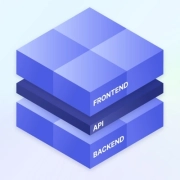
A Hyva migration touches the presentation layer only: templates, component rendering, and styling. It does not touch catalog management, pricing rules, inventory handling, checkout logic, or order management, all of which continue running on the same Magento or Adobe Commerce backend throughout the project. This distinction matters for planning because it defines the actual blast radius of the work. The current front end runs on Knockout.js and RequireJS, technology that Hyva discards entirely in favor of Tailwind CSS for styling and Alpine.js for interactive behavior. Every template that renders a page- product listings, the cart, checkout steps, account pages- needs to be rebuilt against Hyva’s component model rather than simply reconfigured, which is why this is accurately described as a migration project rather than a theme change.
What determines your current performance ceiling? Read this blog before you commit to a front end migration
Where the Real Timeline Risk Hides: Extension Compatibility
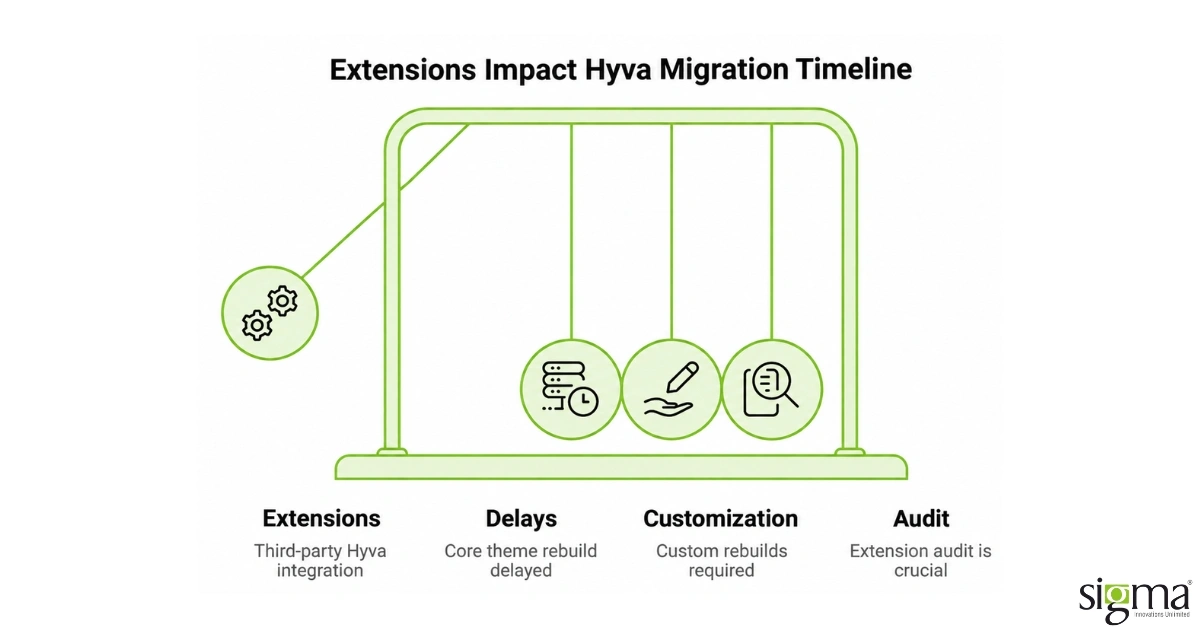
Most delays in a Hyva migration process trace back to extensions, not to the core theme rebuild itself. Any third-party extension that renders its interface through Knockout.js needs either a Hyva-compatible replacement module or a custom rebuild, and the number of extensions a store runs has a much bigger effect on timeline than catalog size or traffic volume does. A store running a handful of well-supported extensions can move through this phase quickly; a store with many years of accumulated, lightly documented customizations should expect this phase to take longer than the front-end rebuild itself. This is why a credible migration plan starts with a full extension audit before any development timeline is committed, rather than estimating from a generic industry average that assumes a cleaner starting point than most established stores actually have.
The Phases of a Well-Run Hyva Migration
A migration that protects the live storefront moves through a consistent sequence rather than one large cutover. Discovery and audit come first: mapping every custom module, template override, and third-party extension against Hyva’s compatibility requirements, which is the phase that determines the real scope and timeline rather than a rough estimate. Solution architecture and component planning follow, sequencing which templates and components get rebuilt in what order, prioritized by dependency and business impact so the highest-traffic pages get validated early rather than last. Development happens incrementally against that plan, with components tested individually rather than assembled into one large, high-risk deployment. Quality assurance and performance validation come before go-live, covering cross-browser and cross-device testing alongside PageSpeed and Core Web Vitals benchmarking against a defined target.
What Realistically Changes During the Project, and What Does Not
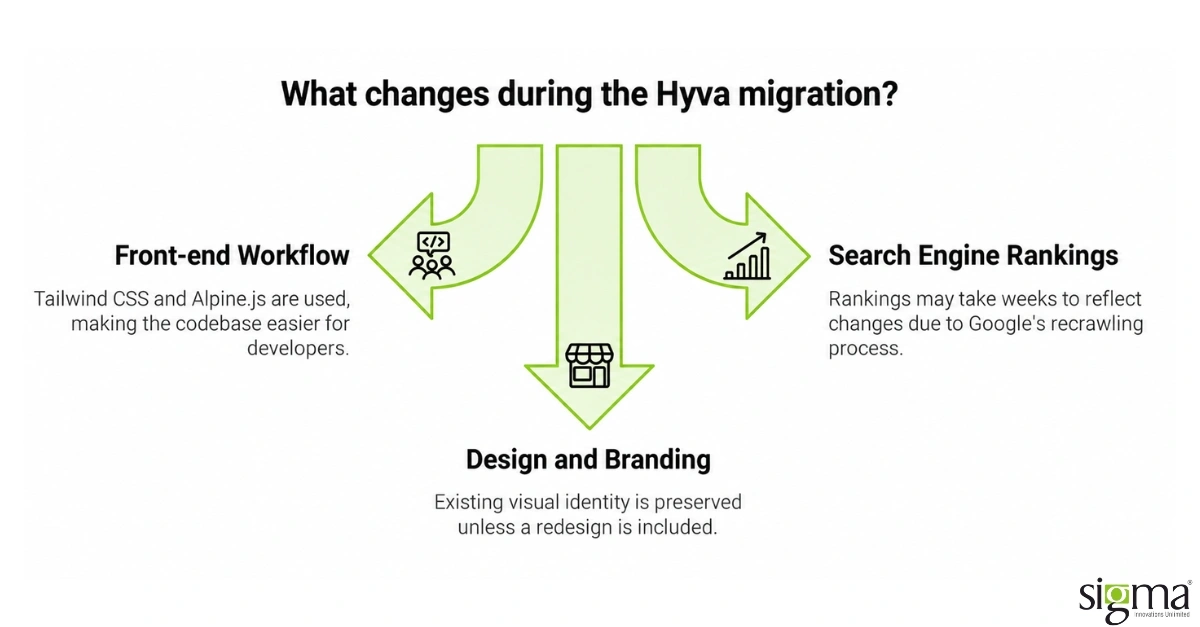
Storefront visitors should not notice disruption during a properly sequenced Hyva migration, since staging and phased rollout keep the live site stable while development happens behind the scenes. What does change for the internal team is the front-end development workflow itself: Tailwind CSS and Alpine.js are widely used outside the Magento ecosystem, which means the post-migration codebase is easier for a broader pool of developers to work with than Luma’s Magento-specific layout system. Search engine rankings and paid search Quality Scores typically take a few weeks after launch to reflect the new PageSpeed and Core Web Vitals numbers, since Google needs to recrawl and re-evaluate the site, which is worth setting as an expectation with marketing stakeholders ahead of launch rather than after. Design and branding do not need to change as part of this project; Hyva is a technology change, not a redesign, and a well-scoped migration preserves the existing visual identity unless a redesign is explicitly bundled into the same project.
Read our success story: Future-Proofing eCommerce: Magento & Theme Upgrade for a Leading Irish Grocery Store
How Long a Hyva Migration Actually Takes
A useful Hyva migration timeline has to account for store complexity rather than quoting a single number that applies to every project, since the same theme rebuild takes very different amounts of calendar time depending on what sits behind it. A store with a lean extension footprint, minimal custom templates, and a straightforward catalog structure can typically complete discovery, build, and validation faster than a store carrying years of accumulated customizations, since the audit phase surfaces far less rework in the first case. Extension count is the single strongest predictor of timeline, ahead of catalog size or traffic volume, because each incompatible extension adds its own scoped rebuild to the plan rather than scaling linearly with the rest of the project. Custom checkout flows and heavily modified account or B2B functionality also extend the timeline meaningfully, since these areas tend to carry the most Knockout. js-dependent logic in an established Magento store. A realistic range, communicated to stakeholders as a range rather than a single date, sets expectations correctly from the start and avoids the credibility cost of a delivery date that was never grounded in the store’s actual scope.
| Store Profile | Extension Compatibility Load | Typical Timeline Range |
| Lean footprint, few extensions, simple catalog | Low, minimal custom rebuild needed | Shorter end of the range, discovery surfaces little rework |
| Established store, moderate customization | Moderate, several extensions need Hyva-compatible builds | Mid-range, extension work runs alongside the theme rebuild |
| Heavily customized, custom checkout or B2B logic | High, most Knockout. js-dependent logic concentrated here | Longer end of the range, extension rebuild often exceeds the theme work itself |
How Sigma Infosolutions Approaches Hyvä Theme Migrations
A Hyvä migration involves an upfront engineering investment in exchange for a storefront that can be easier to maintain, optimize, and evolve. Sigma starts with an audit of the Magento storefront, extension footprint, customizations, and integrations to establish the actual rebuild scope. This gives engineering and eCommerce leaders a clearer view of cost, dependencies, timeline, and potential disruption before committing resources.
The migration then moves through a controlled rebuild, with functionality, integrations, and performance validated at each stage. A phased rollout can reduce operational risk, but it also requires more planning and coordination than a simple theme change. The objective is to balance upfront migration effort against long-term development efficiency, performance, and maintenance needs, while fitting the transition into the business’s release calendar.
Read our success story : Headless Implementation with Magento 2.x for a Middle East-Based Electronics Store
Conclusion
A Hyva migration process is a genuine engineering project, not a theme swap, and planning it accurately starts with understanding what changes and what does not. The presentation layer is rebuilt entirely, moving from Knockout.js and RequireJS to Tailwind CSS and Alpine.js, while the catalog, checkout logic, and backend administration continue running unchanged throughout. The biggest source of timeline risk is extension compatibility, not the core theme rebuild, which is why a full extension audit needs to happen before a delivery date is committed to the rest of the business. A well-run migration moves through discovery, architecture planning, incremental development, validation, and a monitored launch rather than one large, high-risk cutover. Storefront visitors should not notice disruption during a properly sequenced project, since phased rollout and staging keep the live site stable throughout. Search rankings and paid search Quality Scores take a few weeks after launch to reflect the new performance numbers, an expectation worth setting with stakeholders ahead of time. Design and branding do not need to change as part of this project unless a redesign is deliberately bundled into the same scope. The clearest planning risk is treating this as a quick swap instead of a scoped rebuild with its own dependencies. Sigma Infosolutions runs every engagement through the same audit-first sequence, so the plan presented at kickoff reflects the store’s real extension footprint rather than a generic timeline. A realistic plan, built on an actual audit rather than an estimate, is what keeps a Hyva migration on schedule and the storefront stable throughout. Approaching the project this way turns a legitimate source of leadership hesitation into a manageable, well-sequenced piece of engineering work.
Planning a Hyvä Migration? Get the engineering expertise to scope, build, and launch your Magento storefront with confidence.
Frequently Asked Questions
What does the Hyva migration process actually involve?
It involves rebuilding the storefront’s presentation layer, templates, styling, and component rendering, against Hyva’s Tailwind CSS and Alpine.js model. It follows a discovery and audit phase, then component planning, incremental development, validation testing, and a monitored launch, rather than a single large deployment all at once.
What is the biggest source of delay in a Hyva migration?
Extension compatibility, not the core theme rebuild. Any extension that renders through Knockout.js needs a compatible replacement or a custom rebuild, and the number of extensions a store runs affects the timeline more than catalog size does. A full extension audit before committing a delivery date reduces this risk substantially.
Will customers notice disruption during a Hyva migration?
They should not, if the project follows a phased rollout with staging and validation before each component goes live. A properly sequenced migration keeps the live storefront stable throughout, reserving the highest-risk changes for validated, incremental deployment rather than one large, disruptive cutover event that risks downtime.
Does a Hyva migration change the backend or catalog structure?
No. Catalog management, pricing rules, inventory handling, and order processing continue running unchanged on the same Magento or Adobe Commerce backend throughout the project, and admin workflows stay familiar. Only the presentation layer changes, which limits the operational risk to front-end rendering rather than the commerce platform itself.
How long does a typical Hyva migration take?
Timeline depends heavily on extension count and template complexity rather than a fixed number. A store with a lean extension footprint moves faster than one carrying years of custom checkout or account functionality. A completed audit is what turns a rough estimate into a realistic, committed range.