The Magento Performance Audit Checklist Before You Commit Budget to a Fix

Key Highlights:
- Magento performance problems can look similar to customers but require very different levels of investment. The bottleneck may sit in infrastructure, caching, database operations, extensions, or the front-end architecture.”
- A short internal audit against server, caching, database, and front-end criteria tells you which category your store falls into before you commit a budget to a solution.
- Knowing the category up front prevents two common mistakes: paying for a full rebuild when a caching fix would have worked, or asking an internal team to fix a problem that needs specialist engineering.
- Sigma applies a diagnostic-first approach to Magento performance engagements, establishing the bottleneck, remediation priority, and expected engineering effort before recommending a solution.
Introduction:
Before spending a dollar on a Magento performance audit checklist, most teams already suspect something is wrong. Pages feel slow, PageSpeed scores are red, and checkout abandonment has crept up. What is usually missing is a clear answer to a more useful question: is this a configuration problem an internal developer can fix in a week, or a structural issue that needs specialist front-end and infrastructure work? Answering that question first changes the entire budget and timeline conversation, and it changes who should be in the room when the decision gets made. This checklist gives eCommerce leaders and technology decision-makers a framework for determining whether the right investment is configuration tuning, focused engineering, or broader front-end modernization
What a Ten-Minute Server and Caching Check Reveals
Start With Server and Caching: The Fastest Way to Narrow the Problem
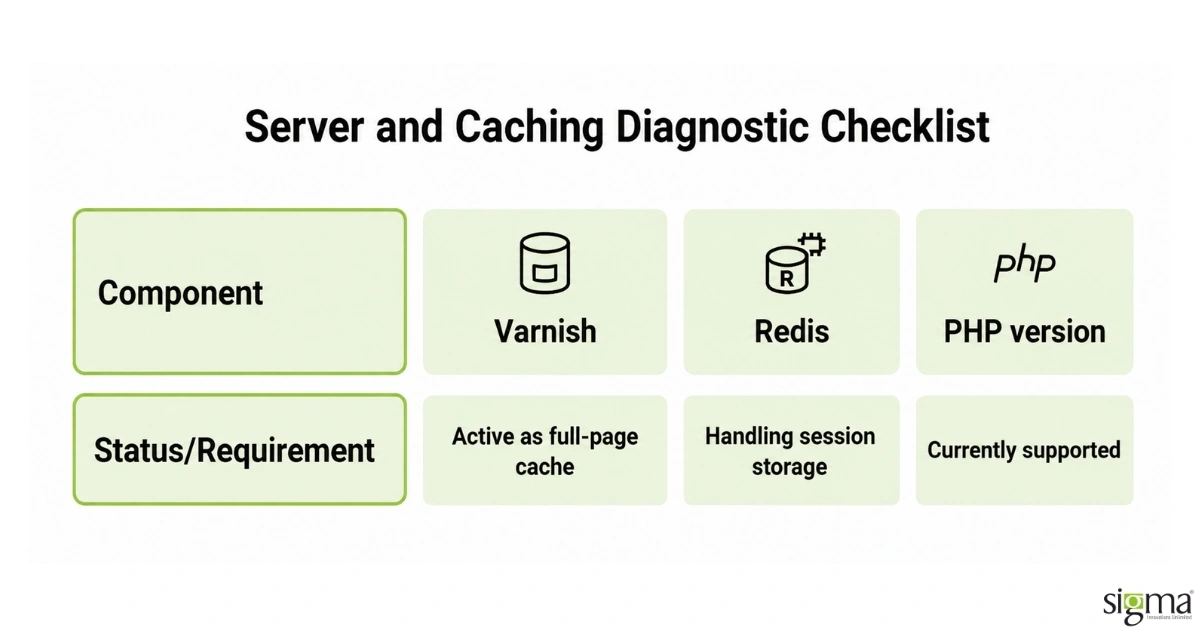
A server and caching check is the fastest diagnostic step and often the most revealing. Confirm whether Varnish is active as the full-page cache rather than Magento’s built-in cache, whether Redis is handling session storage, and whether the PHP version is currently supported. If these components are missing or misconfigured, they become priority areas for investigation because they can materially affect response times and overall store performance. Correcting them may resolve a significant portion of the issue without requiring broader architectural changes . If all three are already correctly configured and the store is still slow, the bottleneck is very likely elsewhere, in the database, the front end, or the extension stack, which changes what kind of help is actually needed.
This step also tells a leadership team something about their own operational discipline, not just the store. Unclear ownership or limited visibility into caching and infrastructure can also signal a broader operational gap. For leadership, that matters because performance improvements are harder to sustain when monitoring, documentation, and regression detection are not clearly owned.. That gap matters beyond the immediate speed problem, since it predicts how quickly the next regression will surface after this one is fixed.
Magento performance holding back growth?
Reading the Database and Extension Signals
Database and extension health are harder to assess from surface-level performance metrics, but they can reveal whether the problem is a maintenance issue, an extension-related bottleneck, or a deeper engineering constraint. A database with excessive log, quote, or session data can indicate accumulated maintenance debt that may affect performance and operational stability. However, database size alone does not establish the root cause. The audit should determine whether database growth, inefficient queries, or other data-layer conditions are materially affecting critical customer journeys.
Third-party extensions require a similar evidence-based assessment. A high number of modules, particularly those introduced at different stages of the store’s evolution, is a useful signal for deeper investigation. Extension count alone does not establish a performance problem. The priority is understanding which modules add processing overhead, duplicate functionality, create compatibility risks, or affect high-value journeys such as product discovery, cart, and checkout. For decision-makers, this distinction matters because an extension-related bottleneck may require targeted engineering rather than broader platform or front-end modernization.
Read the blog : Stay Ahead: Key Magento / Adobe Commerce Development Trends Revolutionizing eCommerce
The audit should establish which extensions remain business-critical, which introduce unnecessary processing, and which may create compatibility or maintenance risk. Older modules deserve particular scrutiny when their ownership, purpose, or compatibility with the current Magento environment is unclear. This gives an engineering team a focused set of areas to investigate rather than treating every installed extension as a potential problem.
Extension conflicts also deserve attention beyond the overall module count. Overlapping functionality, redundant processing, or compatibility issues can affect catalog and checkout performance even when individual extensions appear healthy in isolation. These interactions are not always visible through standard performance scores and may require code-level performance analysis to isolate. The objective is not simply to reduce the number of extensions, but to determine which components are materially contributing to performance constraints and whether they can be optimized, replaced, or removed.
For leadership, the investment implication is straightforward: if database or extension findings point to a contained bottleneck, targeted engineering may be sufficient. If the findings reveal widespread custom-code or extension dependencies across critical journeys, the remediation scope may need to account for deeper architectural work. The audit should establish that distinction before a larger performance or modernization investment is approved.
What Front-End Signals Mean for the Size of the Fix
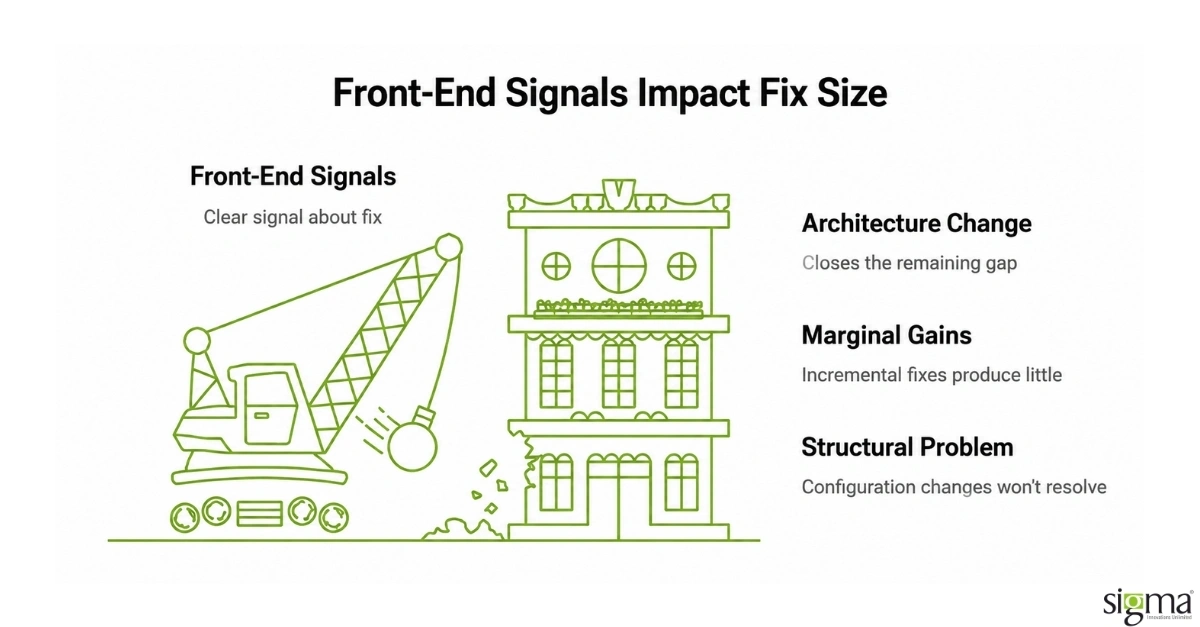
Front-end performance often provides an important signal about whether a Magento store needs targeted optimization or a broader architectural review. A consistently low mobile performance score, combined with large JavaScript payloads, render-blocking resources, and weak Core Web Vitals, can indicate that the existing front-end architecture is contributing materially to the problem. A PageSpeed score alone, however, does not establish the root cause. The audit should consider the broader performance profile, including how the theme, extensions, custom functionality, and third-party integrations affect key customer journeys.
This distinction matters when deciding how much to invest. Caching, image optimization, JavaScript reduction, and other targeted improvements can deliver meaningful gains where the underlying architecture is capable of supporting the required experience. But when performance limitations persist after high-impact optimizations have been addressed, incremental tuning may no longer be the most efficient path. Continuing to layer fixes onto a constrained front end can increase engineering effort without delivering the performance improvement the business expects.
For stores where the existing theme architecture is a demonstrated constraint, front-end modernization may become the more appropriate investment. A Hyvä theme migration can be a strong option for eligible Magento stores because it can provide a substantially lighter front-end foundation, but it should not be treated as the automatic answer to every performance problem. If the primary bottleneck sits in infrastructure, database operations, extensions, custom business logic, or third-party integrations, addressing those issues first may deliver greater value than changing the theme.
The investment decision should therefore be based on evidence rather than a PageSpeed threshold alone. The key question is whether the current front-end architecture can realistically support the performance, customer experience, and scalability objectives of the business. If it can, targeted optimization may be appropriate. If it cannot, the audit should provide the evidence needed to evaluate front-end modernization, including Hyvä, against the cost, dependencies, migration effort, and expected business impact.
For leadership, the takeaway is simple: a low performance score does not automatically justify a rebuild or theme migration. The right response depends on where the bottleneck sits, how materially it affects customer journeys, and whether the existing architecture has enough performance headroom to support future growth.
Outgrowing your Magento front end?
Magento Performance Audit: Manual vs. Automated Approaches
Both manual and automated approaches have a legitimate role in a Magento performance audit. The choice between them depends on budget, team capacity, and the depth of investigation required.
| Criteria | Manual Audit | Automated Audit |
| Cost | Higher, requires engineer time for each review cycle | Lower ongoing cost; upfront tooling investment required |
| Coverage Depth | Deep: extension conflicts, custom code, and database logic are interpretable by an engineer | Surface-level: captures PageSpeed, TTFB, and error rates; misses code-level conflicts |
| Speed of Results | Three to five business days for a full four-layer findings report | Near-instant output; continuous monitoring possible with alerting |
| Best Used For | Pre-remediation scoping, complex extension stacks, and making the case for a Hyva migration | Post-fix regression monitoring and ongoing Core Web Vitals tracking |
Turning the Audit Into a Decision
The value of this checklist is not the individual line items; it is the decision it supports. Running the audit before committing to any remediation path avoids both under- and over-investing in the wrong solution.
| Audit Category | Signal Observed | What It Indicates | Recommended Response |
| Server and Caching | Varnish, Redis, or PHP version missing or misconfigured | A fixable configuration gap, not a platform limit | Internal fix, typically resolved within days |
| Database and Extensions | Bloated tables, or twenty-plus third-party modules with unexplained history | Maintenance debt and code-conflict risk | Short, focused engineering engagement |
| Front End | Luma theme scoring below 50 on mobile PageSpeed | A structural architecture limit that configuration cannot fix | Larger project, typically a Hyvä theme migration |
| Multiple Categories Failing | More than one category fails at once | A sequencing question, not automatically a bigger effort | Fix server and caching first to set a clean baseline, then scope the larger project |
The appropriate response depends on the combination of findings and the extent to which each issue affects critical customer journeys. Server and caching findings may be addressable through targeted configuration remediation, while database or extension findings may require focused engineering investigation. Front-end findings that persist after foundational optimization may warrant a broader architectural review, with options such as a Hyvä migration considered where the existing theme is demonstrably limiting performance. The objective is to match the level of investment to the underlying bottleneck rather than assume every slow store requires a rebuild or every issue can be resolved with a quick configuration change.
Many stores have findings across more than one category, which makes sequencing an important part of the remediation strategy. Addressing foundational infrastructure and caching issues first can establish a more reliable performance baseline and make the impact of subsequent database, extension, or front-end changes easier to measure. This does not mean larger architectural work should always wait; rather, the audit should identify dependencies and prioritize changes according to business impact, technical constraints, and expected return on engineering effort.
For leadership, the audit should ultimately answer three questions: What is causing the performance constraint? What can be addressed incrementally? And where does a larger engineering investment become justified? Those answers provide a more reliable basis for budget and timeline decisions than a PageSpeed score or a predefined optimization package alone.
Read the blog: Every Second Counts: Zero Downtime Deployment with Magento Open Source Solutions
Sigma Infosolutions Runs This Diagnostic Before Any Remediation Work Begins
Sigma applies a diagnostic-first approach to Magento performance engagements, establishing the bottleneck, remediation priority, and expected engineering effort before recommending a solution. The findings are delivered as a written, prioritized report so decision-makers can understand whether the appropriate investment is targeted optimization, focused engineering, or broader front-end modernization. This keeps remediation scope tied to evidence rather than a predefined optimization package.
The audit report is designed for both technical and business stakeholders. Findings are organized across the same four categories used in this checklist, with priority, business impact, dependencies, and indicative engineering complexity attached to each finding. This gives a VP of Engineering or Head of eCommerce a clear basis for evaluating budget and timelines without requiring every recommendation to be translated from technical findings into business terms.
That approach also creates greater accountability around the proposed remediation. When the reason for each recommendation is documented, leadership can evaluate whether the proposed investment addresses the actual performance constraint or simply treats the visible symptom. The objective is not to recommend the largest possible project, but to identify the level of engineering intervention the store actually requires.
Sigma’s Magento modernization work for a leading U.S.-based wholesale retailer demonstrates the value of diagnosing platform constraints before defining the remediation path. The Magento 1-to-Magento 2 migration included a rebuilt attribute system, comparison functionality, and Elasticsearch search, contributing to a reported 12% increase in average order value over the following two years.
For broader performance engagements, Sigma also applies the same diagnostic-first principle when assessing website performance outside Magento. The approach remains consistent: establish the underlying constraint, prioritize the highest-impact findings, and determine the appropriate engineering response before committing to remediation.
Conclusion
A Magento performance problem should not automatically become a rebuild, migration, or optimization project. The right investment depends on where the bottleneck sits, how much it affects the customer journey, and whether the existing architecture can support the required outcome. A structured audit gives leadership the evidence to separate targeted fixes from deeper engineering and modernization decisions.
Frequently Asked Questions
What should a Magento performance audit actually check?
A useful audit checks four layers in order: server and caching configuration, database health, extension count and conflicts, and front-end theme architecture. Each layer points to a different type and size of fix, which is why checking them in this order avoids wasted diagnostic effort on the wrong area first.
Can an internal team run this audit without outside help?
Yes, for the server, caching, and basic database checks, most competent internal developers can complete this diagnostic in a day or two using standard hosting and Magento admin tools. Extension conflict analysis and front-end architecture assessment typically require more specialized experience to interpret correctly, which is where outside help becomes more valuable to the process.
How do I know if my store needs a Hyvä theme migration versus a smaller fix?
If server, caching, and database checks are already clean and the store is still scoring poorly on mobile PageSpeed with a heavy JavaScript payload, that is a strong signal the front end itself is the bottleneck, which points toward a Hyvä migration rather than a smaller configuration fix.
How long does a Magento performance audit take to complete?
A structured audit covering all four layers- server, caching, database, and front end- typically takes three to five business days to complete and document as a prioritized findings report, depending on store complexity, catalog size, and how many third-party extensions are installed and need review.
What happens after the audit identifies the problem category?
The audit findings determine the scope and cost of the next step, whether that is a short internal fix, a focused engineering engagement on database and extensions, or a larger front-end project such as a Hyvä migration, so budget and timeline decisions are based on evidence rather than assumption.