PWA vs Native App for eCommerce: A Retailer Decision Framework That Prevents Overinvestment

Key Highlights:
- Choosing a PWA or native app without assessing the storefront’s actual needs can lead to unnecessary development costs and ongoing maintenance overhead.
- Poor mobile performance, checkout friction, and navigation issues may persist if retailers invest in a new architecture without addressing the underlying problems.
- An audit-first evaluation of PWA, native app, and responsive-site modernization helps retailers match their storefront investment to traffic patterns, catalog complexity, device requirements, and budget.
- Sigma Infosolutions evaluates existing storefront performance, integrations, and engineering requirements before recommending a path, keeping the investment aligned with measurable business priorities.
Introduction:
A progressive web app for eCommerce gets pitched to a lot of retailers as the obvious next step, faster mobile pages, an icon on the home screen, offline browsing, without much scrutiny of whether it is actually the right next step for that specific store. The honest answer is that it depends, and the variables that decide it, catalog size, hardware needs, release cadence, and how much of the budget is available for ongoing maintenance, are rarely laid out before the recommendation lands on a VP’s desk. This post treats PWA vs native app as a three-way decision that also includes a modernized responsive site, since that third option is frequently the right call and just as frequently left off the comparison. The goal is a framework a VP of eCommerce or Head of Digital can apply to their own store, not a generic case for or against any one path.
Three Storefront Paths, Three Different Bets
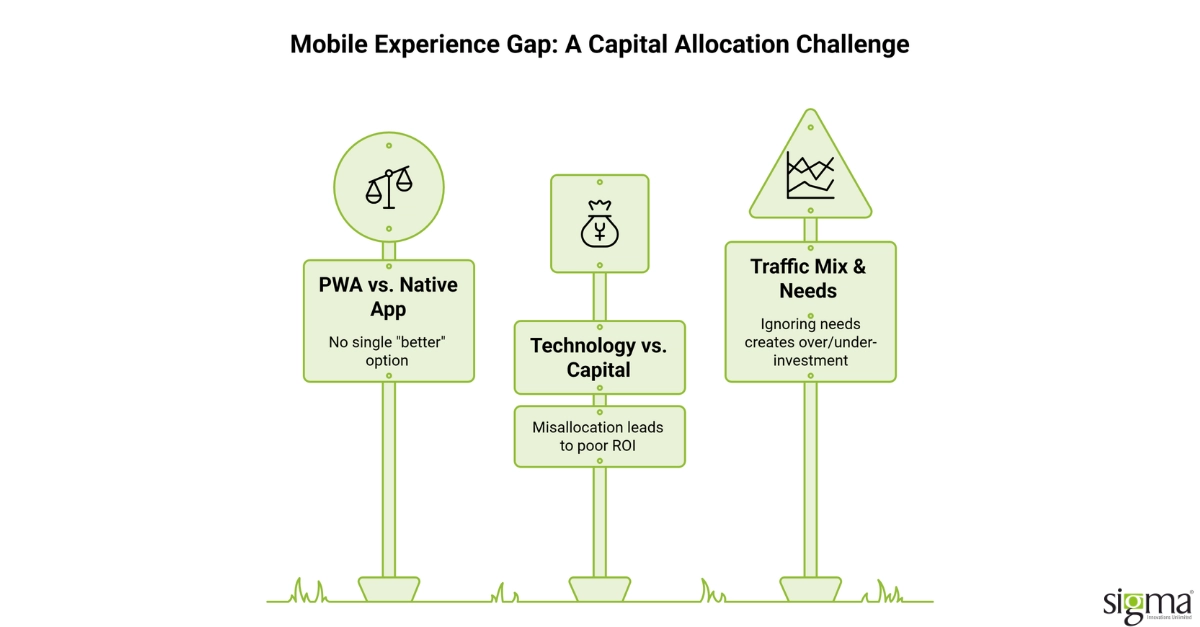
A progressive web app for eCommerce sits between a responsive website and a native app on almost every dimension that matters to a buyer. It is a web application enhanced with a service worker and a web app manifest, which lets it cache content for offline use, load quickly on repeat visits, and be added to a phone’s home screen, all without going through an app store. A native app, built separately for iOS and Android, gets the deepest access to device hardware, biometric login, camera integration, background location, and the strongest presence inside the platforms shoppers already use daily. A modernized responsive site is the baseline every retailer already has some version of: one codebase, standard web technologies, no offline capability or push notifications, but also the lowest cost and the fewest moving parts to maintain. None of the three is a strictly better version of the others. Each is a different bet on where a retailer’s mobile experience gap actually sits and how much ongoing engineering it is worth to close it.
The mistake most retailers make is treating this as a technology question when it is a capital allocation question. A PWA vs native app decision made on a vendor’s default recommendation, rather than the store’s actual traffic mix and hardware needs, tends to produce either an over-built PWA that never earns back its development cost or a responsive site left underinvested because a bigger project got greenlit instead. The framework below exists to make that allocation decision explicit before the budget gets committed to one path.
PWA vs Native App vs Responsive Site: A Side-by-Side Comparison
| Criteria | Progressive Web App | Native App | Responsive Website |
| Typical Development Cost | Moderate; one codebase, app-like features | Highest; separate iOS and Android builds | Lowest; standard web build only |
| App Store Presence | None required; some Android listing support emerging | Full; discoverable in Apple App Store and Google Play | None |
| Offline Capability | Yes, via service worker caching | Yes, full device-level offline support | No, requires an active connection |
| Performance on Repeat Visits | Fast; cached app shell loads instantly | Fastest; compiled, runs natively on device | Standard; reloads assets each visit |
| Device Hardware Access | Limited; no biometric or deep background access | Full; camera, biometrics, background tasks | None beyond standard browser APIs |
| Ongoing Maintenance Load | Moderate; one codebase to update | Highest; two platforms, OS update cycles | Lowest; one codebase, no app store review |
When the PWA Investment Actually Pays Off
A PWA vs native app decision tends to favor the PWA when three conditions hold together. The store’s mobile traffic is high relative to desktop, and the current mobile experience is measurably slow, since a PWA’s biggest structural advantage is closing exactly that performance and repeat-visit gap. The catalog does not depend on deep device hardware, biometric checkout, camera-based try-on, background location tracking, since those capabilities remain a native app’s advantage and a PWA cannot fully substitute for them. The team also has a budget for one well-built codebase rather than two, because a PWA still requires genuine engineering investment; it is not a lighter version of a native app so much as a different one. Retailers in that position tend to see the clearest return: faster mobile pages, a home-screen presence without app store friction, and a single codebase that is materially cheaper to maintain than parallel iOS and Android builds.
Where the case weakens is when a retailer’s real problem is a responsive site that was never properly optimized in the first place. Slow load times, poor mobile navigation, and weak Core Web Vitals scores are frequently fixable through targeted performance work on the existing responsive site, caching, image optimization, and code splitting, without the cost and timeline of a PWA build at all. A retailer chasing a PWA to fix what is actually a responsive-site performance problem ends up paying for a bigger project than the underlying issue required.
When a Native App or a Better Responsive Site Is the Right Call
A native app earns its higher cost when the product genuinely depends on hardware a browser cannot reach: biometric authentication for high-value transactions, camera-based features like virtual try-on or barcode scanning, or background push notifications tuned tightly enough to drive daily habitual use. Retailers with a loyalty program built around daily engagement, a grocery or QSR brand relying on frequent reordering, for instance, often get more from a native app’s platform integration than a PWA can replicate, even accounting for the higher build and maintenance cost of running two separate codebases.
A modernized responsive site is the right call more often than either alternative gets credit for. If the store’s mobile conversion problem traces back to page speed, checkout friction, or navigation rather than a missing app-like feature, the fix is a responsive-site performance and UX project, not a new front-end architecture layered on top of the same underlying issues. This path also fits a retailer without the budget or team capacity to maintain a second application layer indefinitely, since a responsive website vs PWA comparison on maintenance cost alone consistently favors the simpler option once the performance gap is actually closed.
Auditing First, Recommending Second, Regardless of Which Answer That Produces
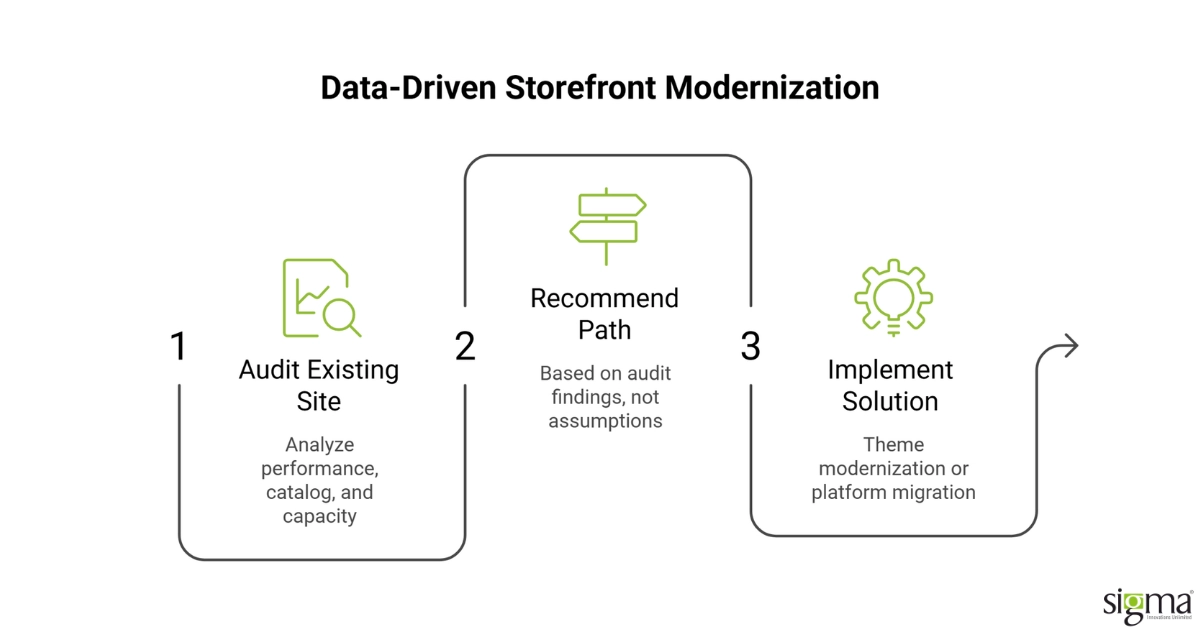
The pattern Sigma sees most often is a retailer handed a PWA recommendation as the assumed answer before anyone tested it against a native app or a properly optimized responsive site. The engineering principle behind Sigma’s approach is straightforward: the right storefront investment follows from the store’s actual traffic mix, hardware needs, and maintenance capacity, not from whichever option the last vendor happened to sell. In practice, that means Sigma’s engagement starts with an audit of the existing site’s performance, the catalog’s complexity, and the team’s ongoing engineering capacity before recommending a path, rather than quoting a PWA build on the first call. For a leading Irish grocery retailer, that audit-first approach led to a Magento theme and infrastructure modernization project rather than a new front-end architecture; the result was a 15 percent increase in order volume, a 10 percent increase in overall revenue, and mobile load times roughly four times faster than before the engagement. Sigma has also run the reverse case: migrating Hansen Wholesale from Magento 1 to Magento 2, rebuilding custom attribute systems and product comparison features across a catalog of more than 125,000 products, where the right investment was a platform migration and performance rebuild rather than a new front-end layer. Both engagements started from the same audit-first discipline this framework recommends, evidence before architecture, and arrived at different answers because the underlying stores were different.
Sigma Infosolutions Runs an Audit-First Evaluation Before Recommending PWA, Native, or Responsive
That engagement arrived at a Magento theme and infrastructure answer; the same audit-first discipline led to a platform migration answer for a different retailer entirely.
Both results came from evaluating the technical approach against the storefront’s actual requirements rather than defaulting to the newest architecture. The grocery retailer’s theme upgrade and Hansen Wholesale’s platform migration each delivered measurable gains because the format was matched to the catalog and traffic profile in front of it, the same audit-first evaluation worth running before committing to PWA vs native app or a responsive rebuild.
The honest evaluation here is to weigh your catalog complexity and offline requirements against each option before assuming PWA or native is the default answer, and to consider total build and maintenance cost over a multi-year horizon, not just initial development cost. If that evaluation points toward a PWA, talk to Sigma’s eCommerce engineering team to scope an implementation sized to your actual mobile conversion goals rather than a generic build.
Conclusion:
A PWA vs native app decision is a capital allocation question before it is a technology question, and treating it as the latter is how retailers end up over-invested in one path and under-invested in the fix they actually needed. A progressive web app for eCommerce earns its cost when mobile traffic is high, the current mobile experience is measurably slow, and the catalog does not depend on hardware a browser cannot reach. A native app earns its higher cost only when the product genuinely needs that hardware access or platform-native habitual engagement a PWA cannot replicate. A modernized responsive site is frequently the correct answer, not the fallback, when the real problem is page speed, checkout friction, or navigation rather than a missing app-like feature. The comparison across development cost, app store presence, offline capability, performance, and maintenance load holds different answers for different retailers, which is exactly why a single default recommendation from one vendor is the wrong starting point. Sigma’s evaluation framework starts with an audit of a store’s actual traffic mix, catalog complexity, and maintenance capacity rather than a predetermined architecture. That audit-first approach produced a Magento modernization path for one grocery retailer and a full platform migration for another, because the two stores’ underlying constraints were different. Retailers that make this decision based on evidence about their own store hold the investment’s return; retailers that follow a generic recommendation often do not. The right storefront path is the one that matches a retailer’s traffic, hardware needs, and maintenance budget, not the one with the most compelling pitch. Getting this decision right before committing an engineering budget protects a retailer from the most expensive version of this mistake, a rebuild that solves the wrong problem. A structured PWA vs native app evaluation, run before the build starts, is what turns a storefront modernization budget into a return rather than a sunk cost.
Clarify Your Storefront Strategy
Frequently Asked Questions
How do I decide between a PWA, a native app, and a responsive website?
Start with three questions: how much of your traffic is mobile and underperforming, whether your product needs deep device hardware like biometrics or camera features, and how much ongoing engineering budget you have for a second codebase. The answers point toward a PWA, a native app, or a better responsive site, in that order of likelihood for most retailers.
What does a PWA typically cost compared to a native app?
A PWA generally costs less than building and maintaining separate iOS and Android native apps, since it is one codebase rather than two, and it avoids app store review cycles. It still requires genuine engineering investment, though, and is not a discount substitute for a properly built native app when hardware access is required.
Does a PWA replace the need for a native app entirely?
For most retailers without a heavy hardware dependency, a PWA covers the core engagement gap, home screen install, offline browsing, and faster mobile pages, without a native app’s cost. Retailers relying on biometric checkout, camera-based features, or habitual daily use through push notifications are the clearer exception worth evaluating separately.
How long does it take to launch each of these three storefront options?
A responsive-site performance overhaul typically runs a few weeks to two months. A PWA build runs eight to sixteen weeks depending on catalog complexity and existing customization. A native app for both iOS and Android generally takes the longest, often four to six months including app store review cycles.
What is the biggest risk of choosing the wrong storefront investment?
The most common outcome is an over-built PWA or native app that never earns back its development and maintenance cost, because the underlying problem was actually a poorly optimized responsive site. Auditing the real cause of the mobile conversion gap before committing a budget avoids paying for capability the store does not need.