Why Christmas Week Shipping-Cutoff Banners Slow Down Your Site Without Losing Urgency

Key Highlights:
- Shipping-cutoff banners, countdown timers, and promo widgets add scripts and layout shifts that slow pages and interrupt the ecommerce checkout flow, exactly when urgency is supposed to be helping sales.
- Treating cutoff messaging as a performance-engineering decision, implementation method, load order, and layout stability, not just a marketing creative choice.
- A retailer that keeps urgency lightweight protects Core Web Vitals, paid-media quality scores, and checkout completion during the one week of the year traffic and ad spend both peak.
- Sigma Infosolutions audits page speed and third-party scripts, re-engineers how promotional messaging loads, and sets up ongoing performance monitoring so urgency never costs more than it earns
Retail leaders preparing for Christmas week are not worried about whether a shipping-cutoff banner creates urgency. They are worried about what that banner does to the ecommerce checkout flow underneath it. A countdown timer, a sitewide “order by” strip, or a cart-page deadline widget can add a third-party script, a web font, and a layout shift at the exact moment a shopper is deciding whether to finish checking out. The urgency message does its job. The banner delivering it can undo that job if it slows the page or bumps the add-to-cart button half a second after a shopper has already tapped it. This article maps how shipping-cutoff banners actually affect site speed and checkout completion, and what a growth-stage retailer should check before adding one this Christmas week.
The Hidden Cost of a Banner That Slows Your Checkout Flow
For a growth-stage DTC or omnichannel retailer, Christmas week concentrates a large share of annual paid-traffic spend into roughly seven days. Shoppers arrive already primed to buy, and a shipping-cutoff message, order by this date for delivery before the 25th, is one of the few levers that can move a hesitant visitor to complete checkout the same session. The same week also carries the highest cost of a slow or unstable page, because that traffic is paid for either way.
Baymard Institute, tracking checkout abandonment across dozens of studies , finds that among shoppers who abandon for a reason other than browsing, 17% cite a site error or crash and a further share cite shipping information that did not meet their expectations. A banner that loads late, shifts the page, or blocks the add-to-cart button briefly produces exactly those symptoms, a visible error or a shipping message a shopper cannot trust, at the highest-value traffic moment of the year. The banner was supposed to close the sale faster. A badly implemented one closes the tab instead.
Do Shipping Banners Slow Down a Website?
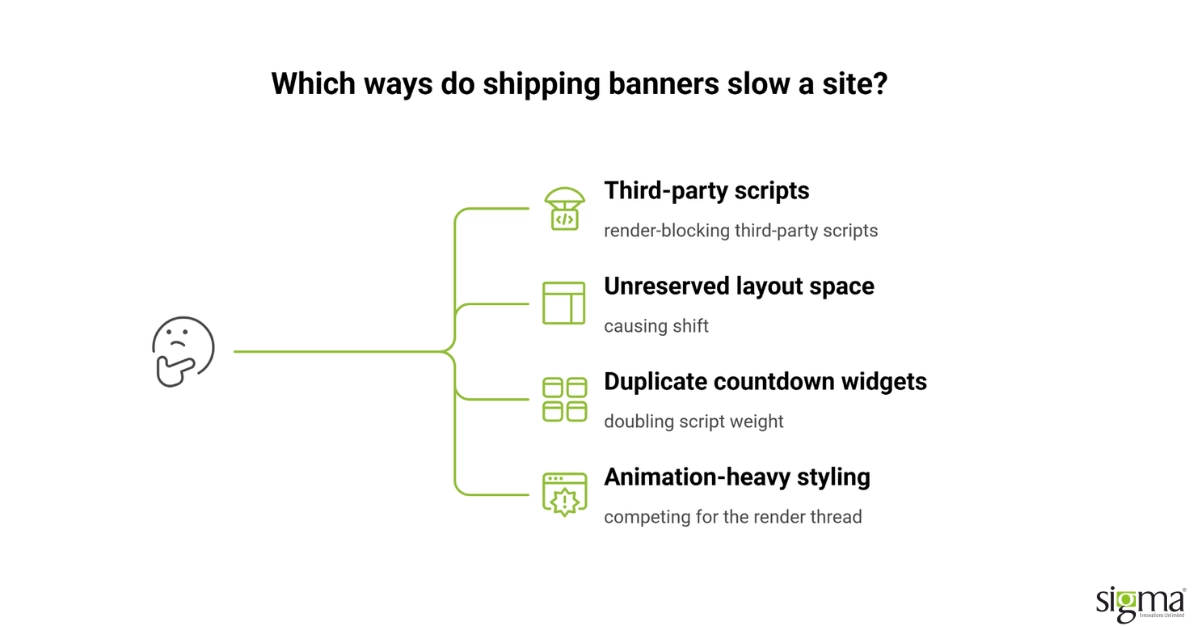
Shipping-cutoff banners slow down a website when they load as a blocking third-party script, pull in their own web font or animation library, or render before the layout around them has reserved space for them, pushing page content down after the shopper has already started reading or clicking.
The failure modes that matter most during Christmas week:
- Render-blocking third-party scripts. A banner app loaded synchronously in the page head delays everything below it, including the add-to-cart button.
- Unreserved layout space. A banner that injects itself into the DOM after initial render pushes the rest of the page down, the textbook cause of a poor Cumulative Layout Shift score.
- Duplicate or competing countdown widgets. Running a homepage timer app alongside a separate cart-page timer doubles the script weight for no additional urgency.
- Animation-heavy styling. CSS animations driven by JavaScript on every frame compete with the browser for the same rendering thread the checkout flow needs.
What Are Core Web Vitals, and Why Do They Matter During Christmas Week?
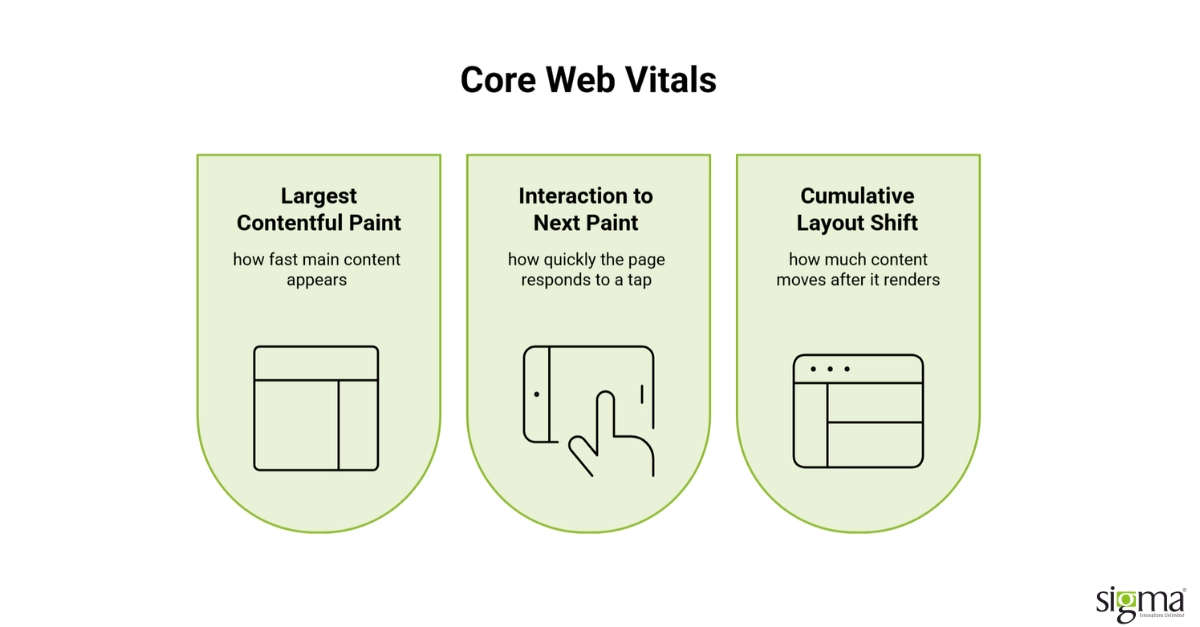
Core Web Vitals are the three field metrics Google uses to measure real user experience on a page: Largest Contentful Paint (how fast the main content appears), Interaction to Next Paint (how quickly the page responds to a tap or click), and Cumulative Layout Shift (how much visible content moves after it first renders).
They matter during Christmas week because a shipping-cutoff banner is one of the most common ways a retailer accidentally regresses all three at once: a slow-loading banner script delays Largest Contentful Paint, a banner that intercepts the first tap delays Interaction to Next Paint, and a banner that shifts layout after load directly worsens Cumulative Layout Shift. In a Google-documented case study online retailer Rakuten 24 ran an A/B test isolating Core Web Vitals fixes and saw a 33.13% lift in conversion rate and a 53.37% lift in revenue per visitor on the optimized version, with Cumulative Layout Shift improving 92.72% over the unoptimized page. That lift came from layout stability alone, the exact property a cutoff banner threatens the moment it is added without a reserved layout slot.
How Do You Add Urgency Without Hurting Site Speed?
Adding urgency without hurting site speed means choosing a banner implementation that renders its final size immediately, loads asynchronously rather than blocking the page, and carries no more script weight than the message itself requires, so the Christmas deadline reads clearly without the page paying a performance tax for it.
| Banner method | Typical speed impact | Urgency effect | Fix |
|---|---|---|---|
| Third-party countdown-timer app, synchronous load | High. Blocking script delays render; common source of poor LCP | Strong, but undermined if the page feels slow | Load asynchronously or defer; cap to one timer app per page |
| Static “order by [date]” text banner, server-rendered | Low. No added script weight, no layout shift if space is reserved | Moderate. Clear deadline, no countdown animation | Reserve a fixed-height slot in the layout so nothing shifts on load |
| JavaScript-animated countdown, client-rendered after page load | High. Frequent cause of Cumulative Layout Shift and competing render-thread work | Strong visually, weakest if it causes jank | Pre-render the timer’s final markup server-side; animate only the digits, not the container |
| Sitewide banner plus a duplicate cart-page banner | Highest. Doubles script and font weight for the same message | No added urgency over a single well-placed banner | Consolidate to one banner location per funnel stage |
Each method can carry the same Christmas deadline message. The difference is entirely in how much the browser has to do before a shopper can act on it, and whether that work happens before or after the page has already been rendered.
A static banner reading “Order by December 20 for Christmas delivery,” rendered directly in the page’s HTML at its final height, with no separate script call, is the clearest example of this working in practice. Nothing shifts when it appears, and no extra request has to finish before the shopper can act.
Pre-launch checklist:
- Reserve the banner’s height in the layout before it loads.
- Server-render the deadline text instead of injecting it after load.
- Skip an external web font just for the banner.
- Defer or load banner scripts asynchronously, never blocking the page.
- Test Cumulative Layout Shift and Interaction to Next Paint on mobile specifically.
- Run one countdown widget per funnel stage, never two.
Protect checkout speed and Core Web Vitals before Christmas week traffic peaks with a performance audit built for growth-stage retailers.
Build the Fix In-House or Bring in a Performance Partner
Fixing this internally or bringing in outside engineering support depends on how much runway remains before Christmas week and how much of the current banner stack the team actually controls.
Fixing it in-house works well when the team built the banner or promo system itself, already has access to the theme or CMS templates, and has time to test a layout change before traffic arrives. Bringing in dedicated support becomes the more defensible choice when the banner runs on a third-party app nobody on the team configured, when last year’s Christmas week surfaced a slow or shifting page nobody fully diagnosed, or when the CMS itself makes reserving layout space harder than it should be.
See how a platform-level fix removes this risk at the source with Sigma’s CMS Development Services.
Keeping Urgency Fast: What Changes When Performance Engineering Owns the Banner
A retailer’s marketing team usually owns the decision to add a shipping-cutoff banner. A retailer’s engineering team rarely gets a say in how it is implemented until the page is already live and the Core Web Vitals report has already regressed. That handoff gap, not the banner idea itself, is where most of the speed cost comes from.
Sigma Infosolutions audits the full rendering path a promotional banner touches, script loading order, layout reservation, font delivery, and animation cost, and fixes the implementation rather than asking a retailer to drop the urgency message altogether. In one such engagement, the post-migration work Sigma completed on a Magento storefront’s Hyvä theme produced measured GTmetrix improvements across every page type that carries promotional content: 120% on the homepage, 90.5% on the shopping cart, and 90.5% on the product page, the exact pages a Christmas-week cutoff banner typically appears on. Those figures are this one client’s results, not an industry-wide benchmark, and are documented in the case study linked below.
See how a Hyvä migration improved GTmetrix scores across every key storefront page.
That same discipline carried into a Shopify Plus environment supporting more than 50 storefronts for a Romania-based beauty brand, where Sigma rebuilt the operational layer behind peak-season messaging without disrupting a business already running at scale.
Explore how Sigma supported multi-store Shopify Plus operations for a retailer running more than 50 locations.
For a retailer heading into Christmas week, a short pre-peak review of exactly how the cutoff banner loads, not a redesign of the message itself, is usually the fastest way to keep the urgency without the performance cost. Sigma can run that review as a one-off engagement or an ongoing performance partnership through the next peak.
Conclusion
A Christmas-week shipping-cutoff banner is meant to move a hesitant shopper through the ecommerce checkout flow faster, not slower. Whether it does either depends almost entirely on how it is implemented, not on the deadline message itself. A synchronous third-party script, an unreserved layout slot, or a duplicated countdown widget can each quietly undo the urgency the banner was built to create. Core Web Vitals give a retailer a concrete way to measure that risk, since Largest Contentful Paint, Interaction to Next Paint, and Cumulative Layout Shift are each vulnerable to a poorly built banner in a different way. The Rakuten 24 case shows the mechanism clearly: a page that stops shifting under a shopper’s finger converts at a meaningfully higher rate, with no change to the underlying offer. Comparing banner implementation methods side by side shows that script weight and layout stability, not visual style, are what separate a fast cutoff message from a slow one. Reserving layout space in advance, deferring non-critical scripts, and consolidating to a single banner per funnel stage address the most common causes directly. Whether a retailer fixes this internally or brings in engineering support depends on who currently owns the banner stack and how much runway remains before peak traffic. A retailer that treats seasonal urgency messaging as a performance engineering decision protects both the Christmas-week conversion rate and the Core Web Vitals score Google carries into the new year. The alternative, discovering the banner slowed the site during the one week it mattered most, is a more expensive way to learn the same lesson. Fast urgency and strong urgency are not a trade-off; they are the same requirement, built correctly from the start.
Frequently Asked Questions
Do shipping-cutoff banners actually slow down a website?
A shipping-cutoff banner can slow a website measurably when it loads as a blocking third-party script, pulls in its own fonts or animation library, or renders without reserved layout space. The banner itself is rarely the problem. How it is implemented determines whether it adds real load time or renders with no layout impact at all.
How do you add urgency messaging without hurting Core Web Vitals?
Add urgency without hurting Core Web Vitals by rendering the banner’s final markup immediately, reserving its layout space in advance so nothing shifts after load, and loading any supporting script asynchronously rather than letting it block the rest of the page from rendering during checkout.
What are Core Web Vitals, and why should a retailer care about them at Christmas?
Core Web Vitals are Google’s three metrics for real user experience: Largest Contentful Paint, Interaction to Next Paint, and Cumulative Layout Shift. A retailer should care at Christmas because this is the week paid traffic and transaction volume both peak, making any page that regresses these metrics immediately costly in lost conversions.
Does a countdown timer hurt conversion more than a static deadline banner?
Neither format is inherently better for conversion; the implementation determines the outcome. A static, server-rendered deadline message with reserved layout space typically costs less in page weight, while an animated countdown can match it in speed only if its final markup renders immediately and its animation avoids layout shift.
Should a retailer fix banner performance in-house or bring in outside help before Christmas?
It depends on who built the current banner stack and how much time remains before peak traffic. In-house fixes work well when the team controls the theme or CMS templates directly. Outside engineering support becomes more valuable when the banner runs on an unfamiliar third-party app or last year’s peak season surfaced an unresolved slowdown