Magento 2 Extensions: The Hidden Performance Cost Your Store Is Already Paying

Key Highlights:
- A Magento store that adds Magento 2 extensions one at a time without tracking their combined weight ends up with a slowdown nobody can trace back to a single cause.
- Measuring each extension’s actual front-end and database footprint before and after installation turns performance decline from a mystery into a manageable, attributable metric.
- Treating extension count as a performance variable, not just a feature list, protects conversion rate and search visibility as the store keeps adding functionality over time.
- Sigma pairs its extension and plugin cleanup work with its wider performance optimization practice, so a store’s slowdown is diagnosed against the whole stack rather than one suspected extension in isolation.
Introduction
The link between Magento 2 extensions and store performance is additive and invisible until it is not. Every extension a store installs adds something to the page: JavaScript, a database query, an API call, or all three. None of that is a problem in isolation. The problem is that almost no team measures the combined cost of everything currently installed, so a store that has been live for three years can be running a dozen extensions nobody remembers adding, each contributing a small, untracked tax on every page load. This post looks specifically at extension accumulation as a performance risk, how it happens, how to measure it, and how to manage it as an ongoing discipline rather than a one-time cleanup, distinct from the broader server, caching, and theme work covered in Sigma’s guide to Magento speed optimization. The two topics overlap but answer different questions: that guide addresses a store that is already slow and needs a full remediation plan, while this one addresses the narrower, earlier question of how extension decisions contribute to that slowdown in the first place.
Turn extension sprawl into a manageable engineering problem.
How Extension Accumulation Becomes a Performance Problem
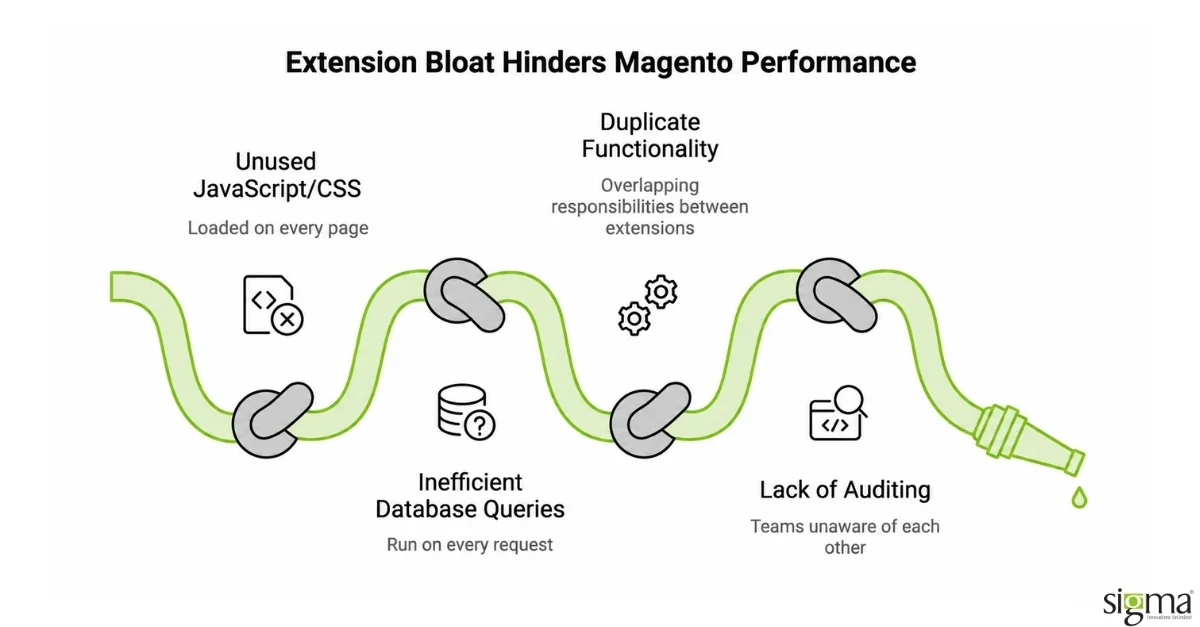
Extension bloat rarely arrives as a single bad decision. A store launches with a reasonable extension count, then over several years, marketing adds a personalization tool, operations adds a shipping calculator, and a redesign leaves behind a theme extension nobody uninstalled after switching visual approaches. Each addition is defensible on its own. The combined effect is not, because Magento loads most extensions’ JavaScript and CSS on every page regardless of whether that specific page needs the functionality, and many older extensions run their own database queries on every request rather than caching results. A store can reach a point where a meaningful share of its total page weight and server response time comes from extensions that are only actively used by a small fraction of visitors, or that duplicate functionality another installed extension already provides.
Magento 2 Extension Categories and Their Typical Performance Cost
Not every extension carries the same weight, and understanding the general pattern helps a team prioritize an audit rather than reviewing everything with equal urgency.
| Extension Category | Typical Performance Cost | Typical Business Value |
| Front-end personalization and recommendation widgets | High, adds JavaScript and often a third-party script on every page | High when actively driving measurable engagement or sales |
| Marketing pixels and social integrations | Moderate to high, frequently loaded on every page regardless of relevance | Moderate, value depends on active campaign use |
| Search and navigation enhancements | Moderate, mostly server and database load rather than front-end weight | High for stores with large catalogs |
| Reporting and analytics dashboards | Low front-end cost, can carry meaningful backend database load | Moderate, internal-facing rather than customer-facing |
| Utility extensions (tax, shipping rules, compliance) | Low when well-built, isolated to specific checkout steps | High, often necessary for legal or operational reasons |
The pattern worth noticing is that performance cost and business value do not move together. A utility extension handling tax compliance carries real business value and typically a low performance cost, since it only runs during checkout. A front-end personalization widget can carry a high performance cost that is only justified if it is measurably improving engagement or conversion, which is why the next question after any audit should always be whether the extension’s actual, current business value still supports its performance cost, not whether it was worth adding originally. Business value also drifts over time in ways performance cost does not; a marketing widget added for a single campaign can quietly stay active for years after the campaign ends, still carrying its original front-end weight while delivering nothing in return.
Auditing an Existing Extension Stack for Performance Impact
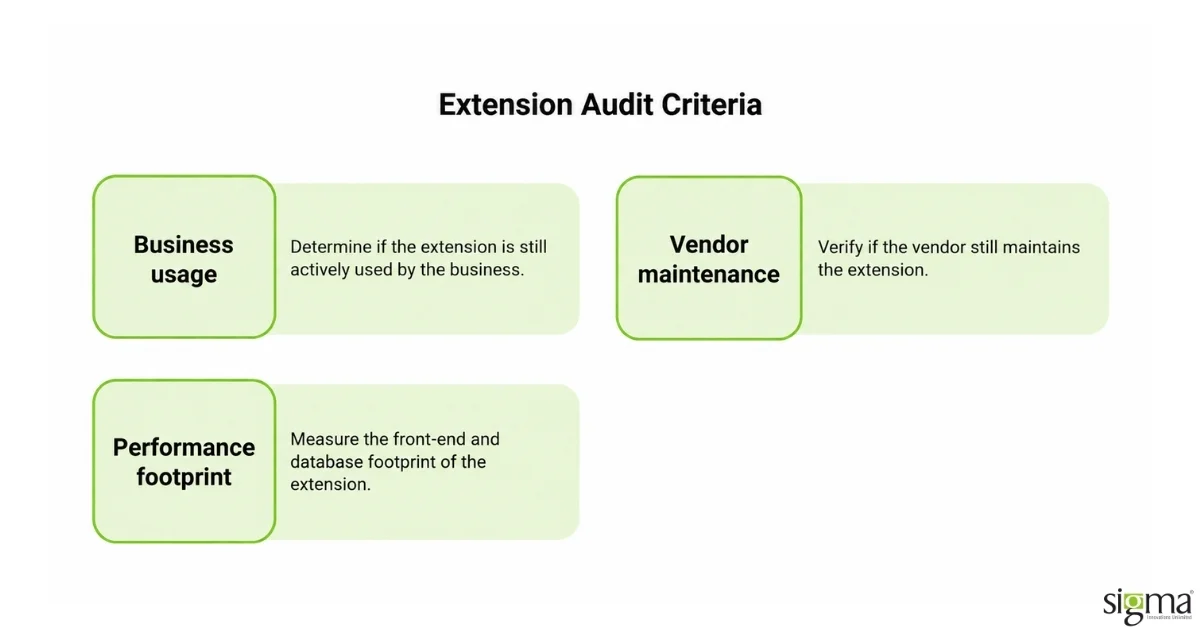
A useful audit starts by inventorying every installed extension against three questions: is it still actively used by the business, does its vendor still maintain it, and what is its measurable front-end and database footprint? Browser-based waterfall analysis on key templates, the homepage, a category page, and a product page, shows which extensions are adding JavaScript or CSS weight to pages where their functionality is not even visible. Database query logging over a representative traffic period shows which extensions are running expensive or repeated queries. This is a narrower, more targeted exercise than a full Magento speed optimization engagement covering server, cache, and theme work; it specifically isolates the extension layer so a team can decide, extension by extension, whether to keep, replace, or remove each one before touching anything else in the stack. Scoring each extension against both its measured footprint and its current business use, rather than relying on memory or an outdated internal wiki page, is what turns the audit into a decision document the team can act on instead of a list of observations that gets filed away.
Removing or replacing extensions carries its own risk, since a module that has been running for years may have data or configuration dependencies elsewhere in the store that are not obvious until it is disabled. A careful audit documents those dependencies before recommending removal, and any change is validated in staging against real traffic patterns, not just a quick manual click-through, before it reaches production.
Sigma Treats Extension Bloat as an Ongoing Discipline, Not a One-Time Cleanup
A single extension cleanup produces a real, measurable improvement, and then the same accumulation pattern starts again the moment the next marketing tool or integration request comes in, unless something changes about how new extensions get evaluated going forward. Sigma addresses this by pairing an initial extension and performance audit with a lightweight ongoing review, so new extension requests are checked against the store’s current footprint before they are added rather than after they have already degraded page speed. On a Magento platform upgrade for an Ireland-based grocery retailer, Sigma’s work included a full custom-module compatibility assessment across ten Magento version releases and thirty-five patches, removing what no longer belonged before migrating the rest, which contributed to a 300 percent desktop and 400 percent mobile performance improvement alongside a 15 percent increase in order volume.
Extension cleanup is only one layer of a full performance program, and it compounds best alongside the server, cache, and theme work covered separately for readers diagnosing a broader slowdown.
The Hansen Wholesale engagement shows the same pattern hold across a full platform migration rather than a single audit, which is the scale most growth-stage retailers eventually reach.
What both results share is a delivery methodology that accounts for the business outcome, not just the technical output. The difference between an implementation that delivers its promised ROI and one that underperforms often comes down to whether the engagement was scoped around the organization’s actual decision context rather than a reference architecture that happened to be closest to what the client described.
Both outcomes trace back to the same starting point: an audit of what the storefront was actually running before deciding what to change. The grocery retailer’s theme and extension work lifted order volume and revenue; Hansen Wholesale’s full module rebuild during its Magento 2 migration lifted average order value by 12 percent. Neither result came from adding extensions. Both came from removing the ones no longer earning their performance cost.
How Sigma Infosolutions Addresses Magento Extension Performance Debt
Sigma Infosolutions reviews Magento extension stacks as part of performance audit engagements, measuring each extension’s contribution to page weight, server response time, and database load. Sigma’s approach separates extensions that are actively used and delivering value from those that have accumulated without a clear business case, and produces a prioritized recommendation for removal, replacement, or retention.
The trade-off in managing extension debt proactively is the cost of audit time and the coordination required to test removals or replacements. The trade-off in letting it accumulate is slower page load times, higher infrastructure costs, and a platform that becomes progressively harder to upgrade, the latter being the more expensive outcome for most merchants.
If your Magento store’s performance has degraded as your extension count has grown and you want to understand exactly what is causing the problem, speak with Sigma Infosolutions. Sigma’s Magento engineers can assess your extension stack and quantify the performance impact before any remediation investment is made.
For eCommerce directors and VPs of Digital evaluating extension stacks, the decision is not simply which extensions to add but how many the store’s architecture can support before load time and maintenance overhead start working against conversion. Technology leaders responsible for platform performance should treat the extension count as a budget to be spent deliberately, not a checklist to be completed.
Ready to address extension-driven performance debt at the architecture level?
Conclusion
Magento 2 extensions and store performance are connected in ways that rarely show up as a single line item, but their combined, unmeasured weight is a consistent and underdiagnosed contributor to a slow store. The problem builds gradually, one reasonable addition at a time, until nobody on the current team can account for why every installed module is still there. Extensions vary widely in performance cost, and cost does not automatically track with business value, which is why an audit needs to weigh both rather than assuming every extension deserves equal scrutiny. A useful audit inventories active use, vendor maintenance status, and measurable front-end and database footprint before recommending any removal. Removing an extension carries its own risk, so dependencies need to be documented and changes validated in staging before reaching production. A one-time cleanup produces real gains that erode again once new extensions get added without the same scrutiny. Business value drifts over time in ways performance cost does not, so an extension worth keeping last year is not automatically worth keeping today. The more durable fix is reviewing new extension requests against the store’s current footprint before they are installed, not after. This connects directly to the broader performance work covered in Sigma’s Magento speed optimization guide, since extension weight is one layer among several that determines how fast a store loads. Sigma treats extension governance as part of its ongoing performance practice rather than a standalone cleanup project. A retailer that manages extension accumulation this way protects both page speed and the conversion rate that depends on it as the store keeps adding functionality over time.
Is extension sprawl affecting your Magento store’s performance?
Frequently Asked Questions
How do Magento 2 extensions actually slow down a store?
Most extensions load JavaScript and CSS on every page regardless of whether that page uses the functionality, and many run their own database queries without caching results. A store with a dozen accumulated extensions can carry a meaningful, unmeasured tax on every page load purely from this combined, uncoordinated weight.
How can we tell which of our installed extensions are causing performance problems?
Run browser-based waterfall analysis on key templates to see which extensions add front-end weight where their functionality is not visible, and review database query logs over a representative traffic period to identify extensions running expensive or repeated queries. This isolates the extension layer from server and cache issues.
Is it safe to remove an extension we no longer actively use?
Usually, but only after checking for data or configuration dependencies elsewhere in the store, since a long-running module can have connections that are not obvious until it is disabled. A proper audit documents those dependencies first and validates removal in staging before it reaches production.
How is this different from a full Magento speed optimization engagement?
A full speed optimization engagement covers server configuration, caching, database health, and front-end theme work in addition to extensions. Extension bloat auditing is a narrower, more targeted exercise that isolates the extension layer specifically, though the two are complementary and often run together as part of the same broader performance program.
How often should a Magento store audit its extension stack for performance?
An initial full audit makes sense any time performance has degraded gradually rather than suddenly. After that, reviewing new extension requests against the store’s current footprint before they are added, rather than after, is more effective than waiting for another full audit once the same accumulation pattern has already returned.